Safe 360—Emergency and safety App

A human-centered safety experience that empowers users to get help instantly and feel supported in high-stress moments
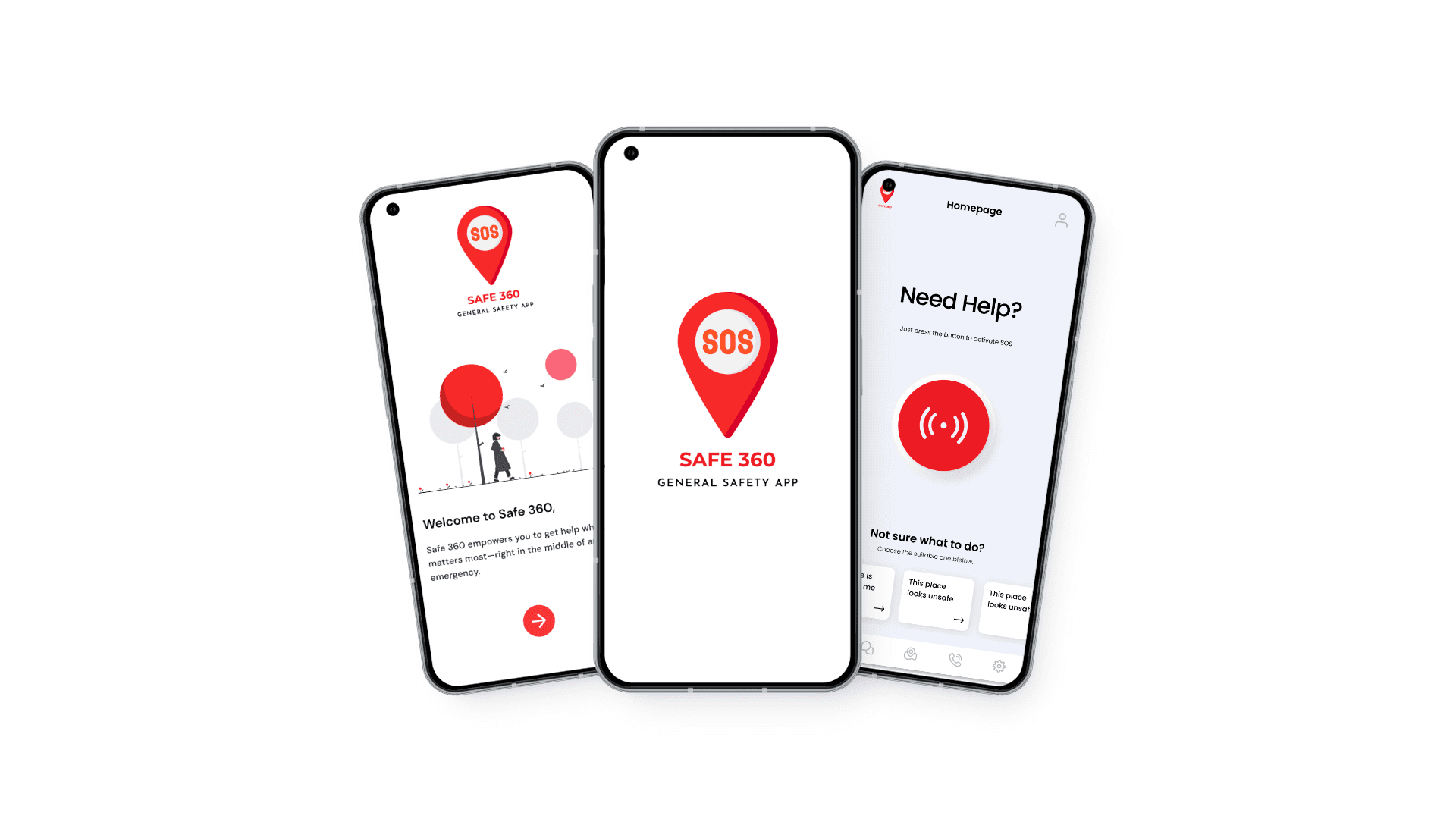
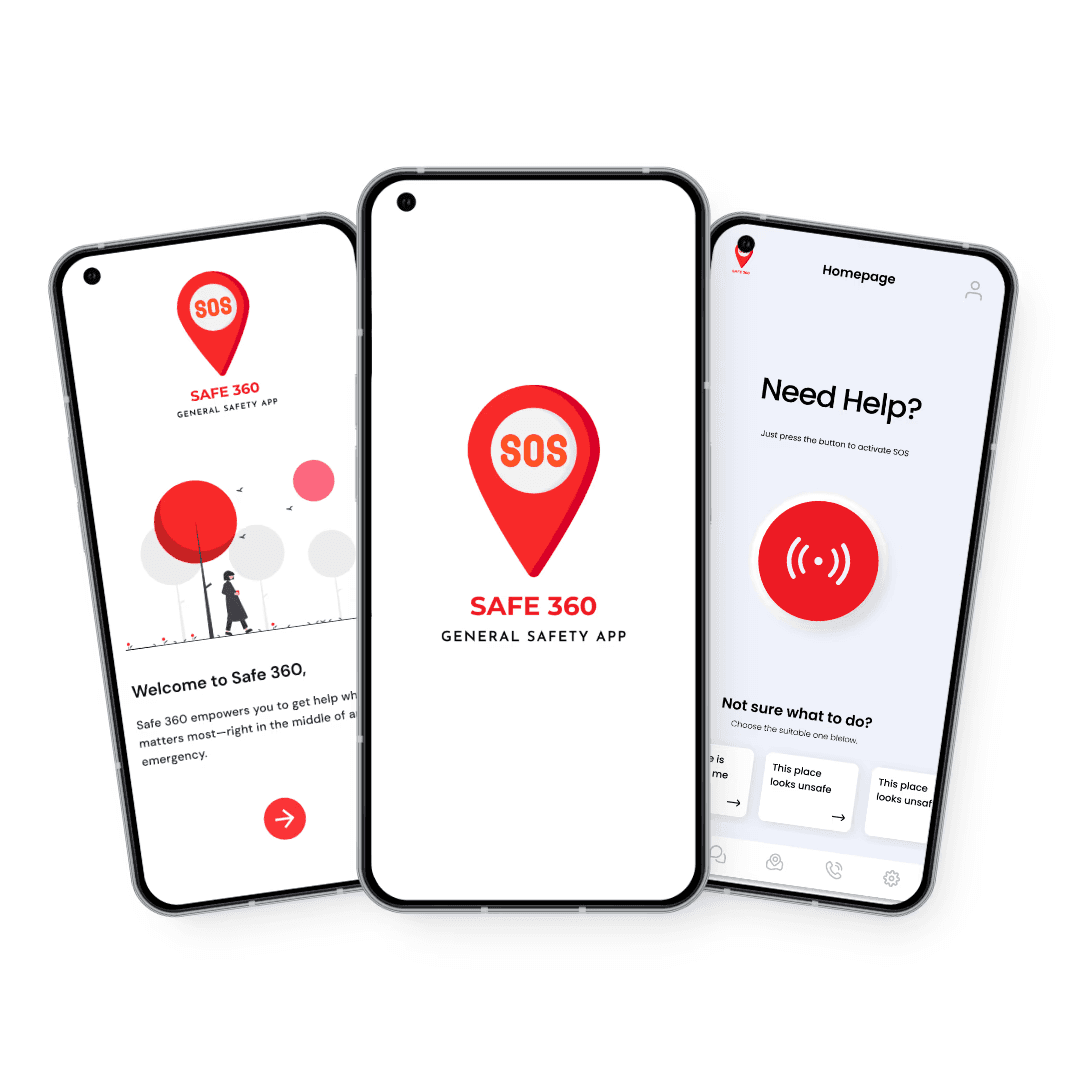
image of a group of people as a team

My Role

My Role

Product Designer — UX Research, Interaction Design, Visual Design, Prototyping, Usability Testing


Product Designer — UX Research, Interaction Design, Visual Design, Prototyping, Usability Testing


Overview

Overview

Safe 360 is designed to support people during emergencies by providing an immediate, intuitive way to call for help and share critical information when every second matters.
I designed the end-to-end user experience with a focus on emotional clarity, accessibility, and trust ensuring the app remains simple enough to use.

Safe 360 is designed to support people during emergencies by providing an immediate, intuitive way to call for help and share critical information when every second matters.
I designed the end-to-end user experience with a focus on emotional clarity, accessibility, and trust ensuring the app remains simple enough to use.

Team

Team

Solo Product Designer collaborating with a mobile developer and a PM during the concept phase.

Solo Product Designer collaborating with a mobile developer and a PM during the concept phase.

Timeline

Timeline

12 weeks
launched in Feb 2025


12 weeks
launched in Feb 2025


CONTEXT AND MOTIVATION
Arizona faces 25% of scarcity of water in Arizona which is from colorado

In emergencies, people often panic, freeze, or struggle to navigate their phone quickly enough to get help. Existing tools felt cluttered, slow, or buried behind menus, leading to delays during moments when users needed instant, frictionless access to support.

In emergencies, people often panic, freeze, or struggle to navigate their phone quickly enough to get help. Existing tools felt cluttered, slow, or buried behind menus, leading to delays during moments when users needed instant, frictionless access to support.

THE MAIN PROBLEM
People don’t just need a tool to call for help… they need an interface that guides them calmly and clearly through the worst moments
USER RESEARCH
Understanding what users rely when they are in an emergency

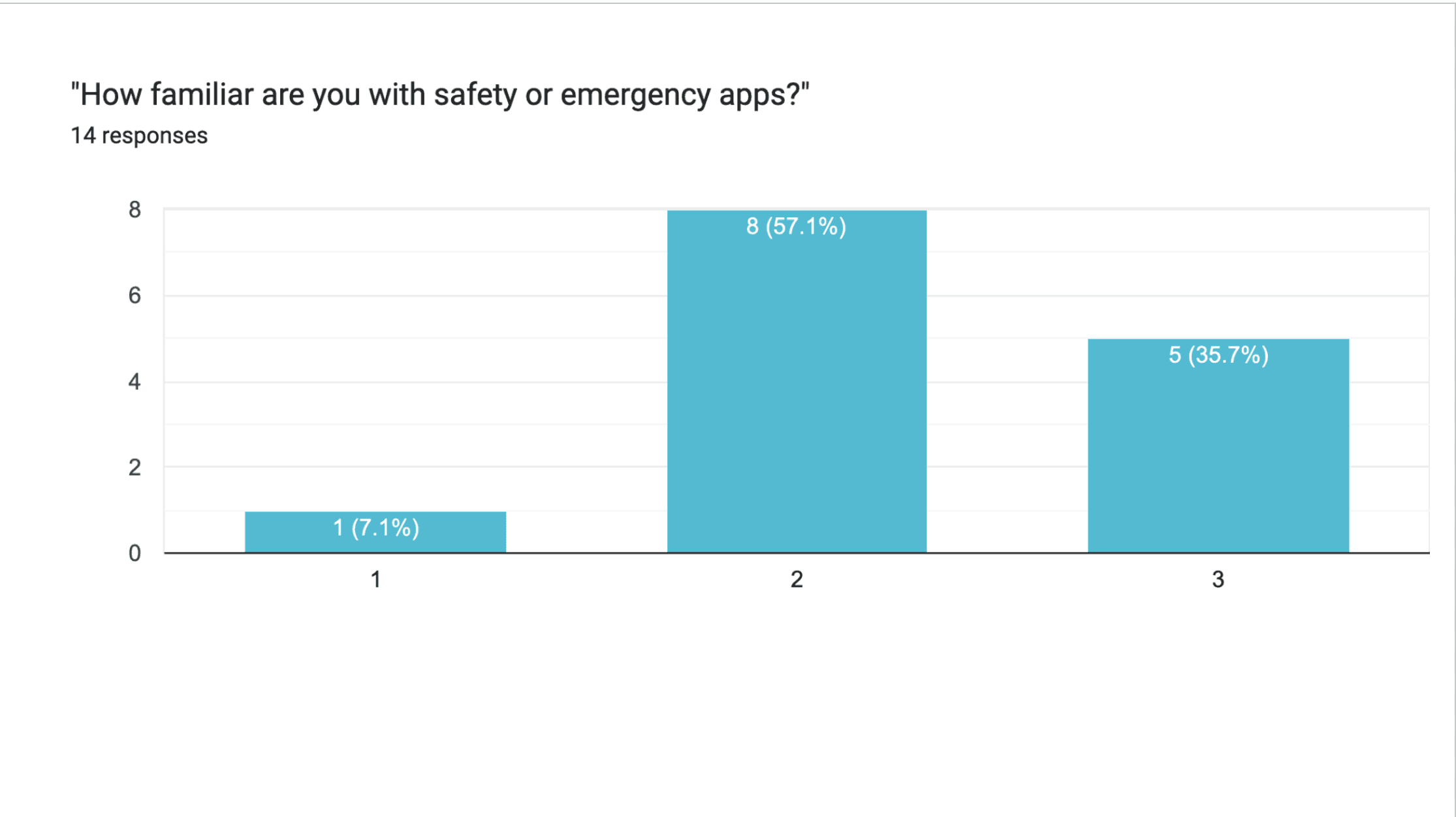
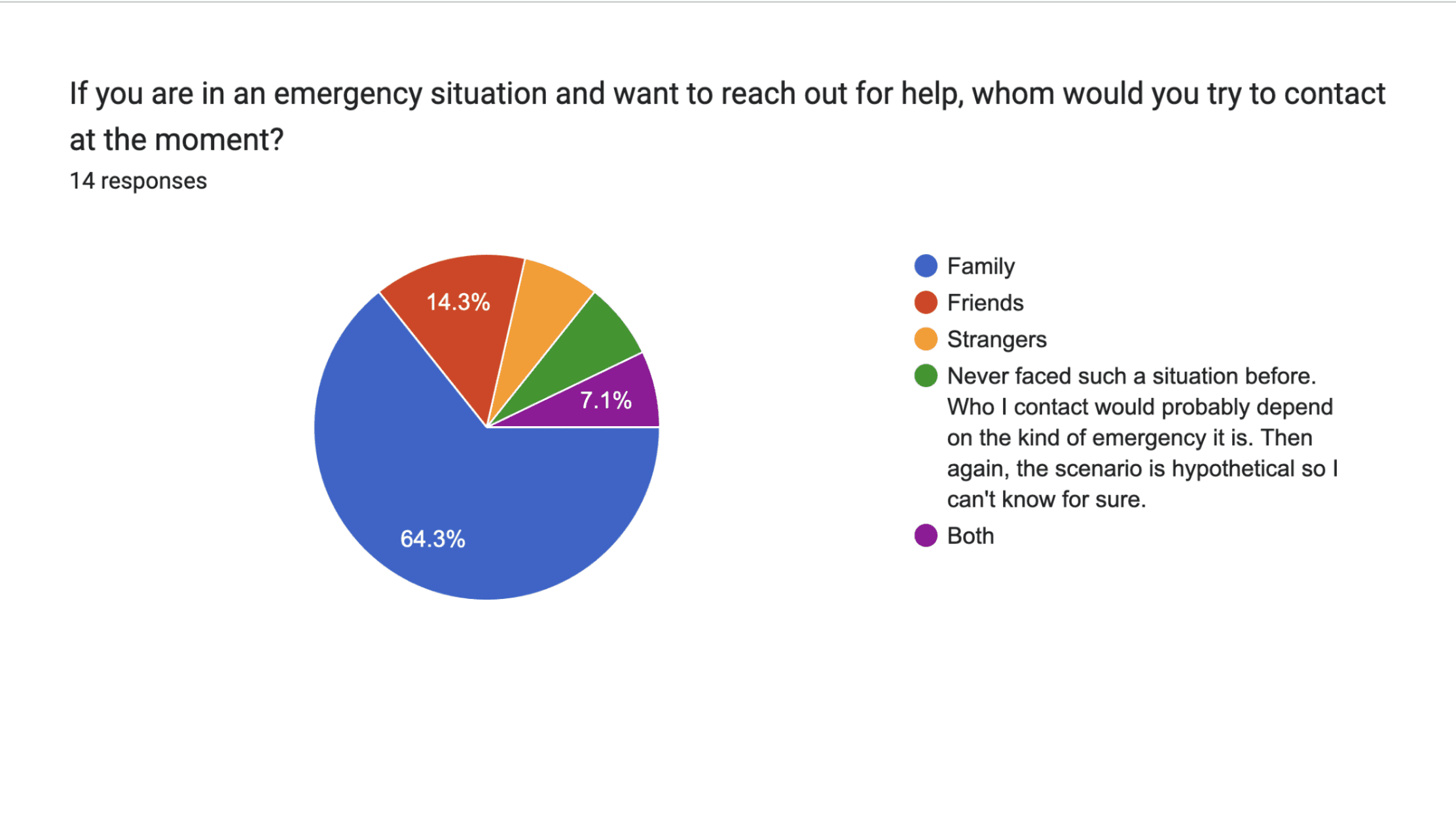
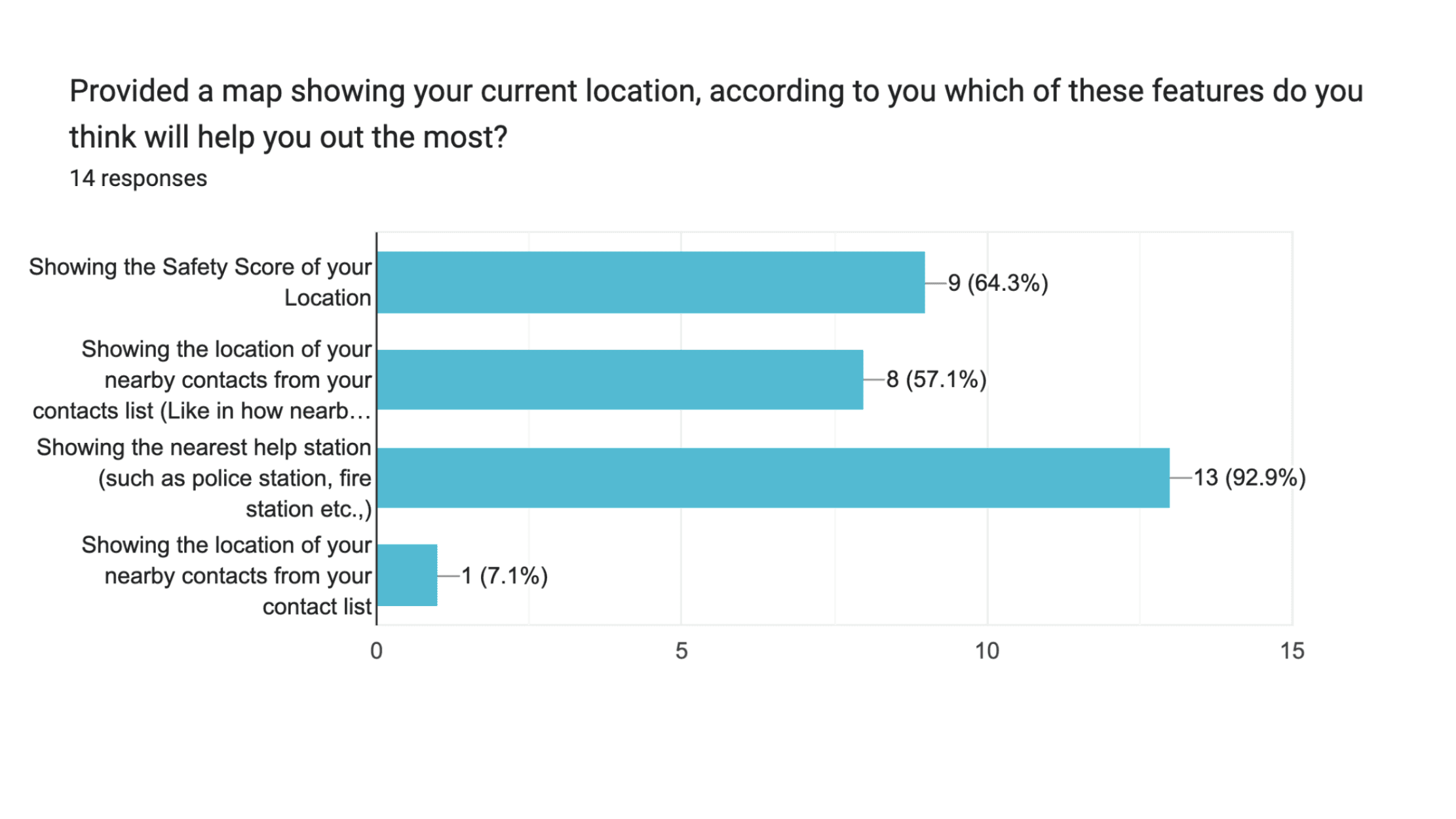
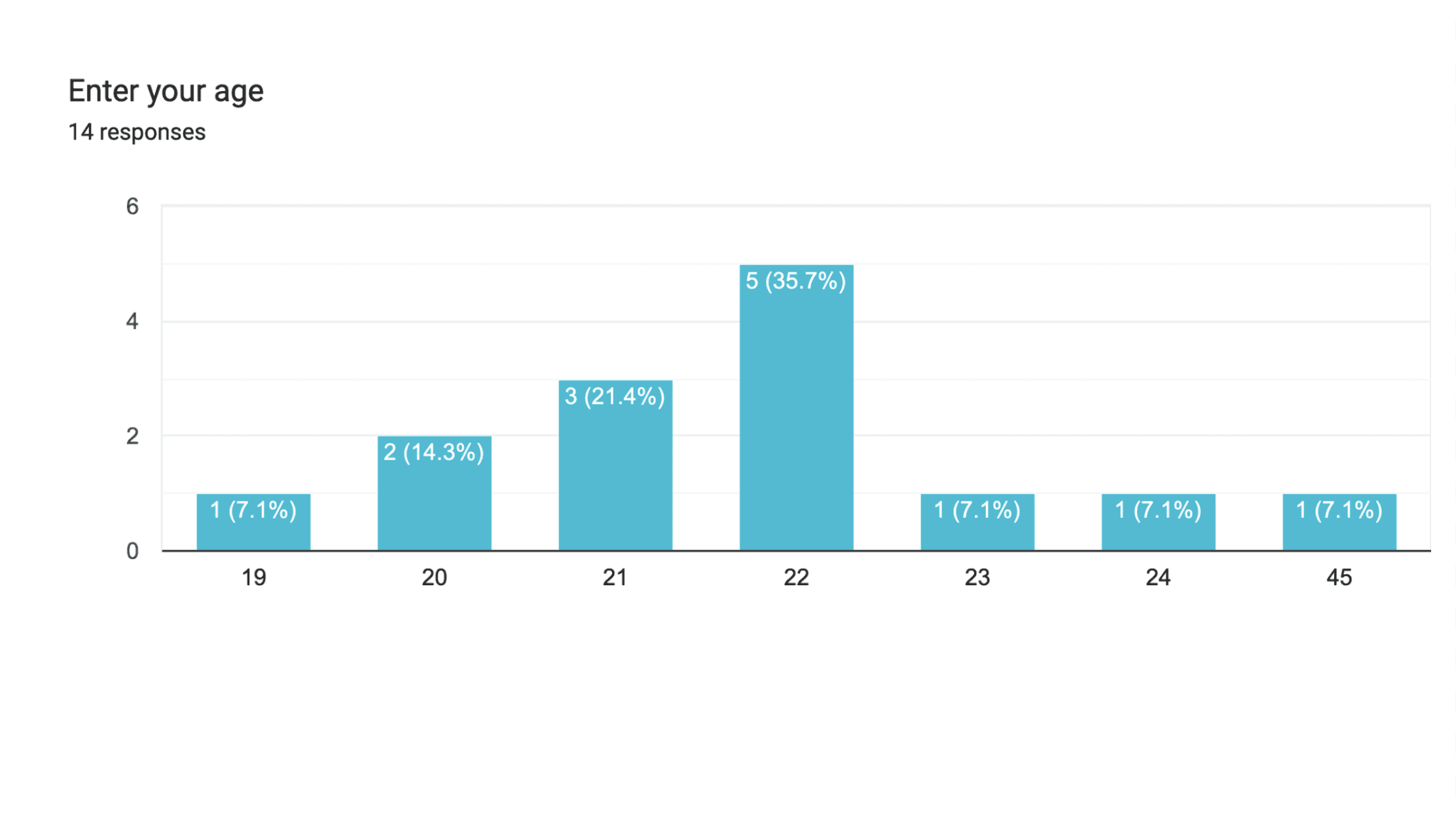
Through interviews and contextual inquiry, I learned that during emergencies, users don’t think linearly—they think emotionally. They want speed, reassurance, and clarity more than anything else. Many had past experiences where they struggled to unlock their phone, find contacts, or explain their situation—showing a clear gap between intent and action during stress.

Through interviews and contextual inquiry, I learned that during emergencies, users don’t think linearly—they think emotionally. They want speed, reassurance, and clarity more than anything else. Many had past experiences where they struggled to unlock their phone, find contacts, or explain their situation—showing a clear gap between intent and action during stress.

COMPETITIVE RESEARCH
Analyzing End-to-end competitve products

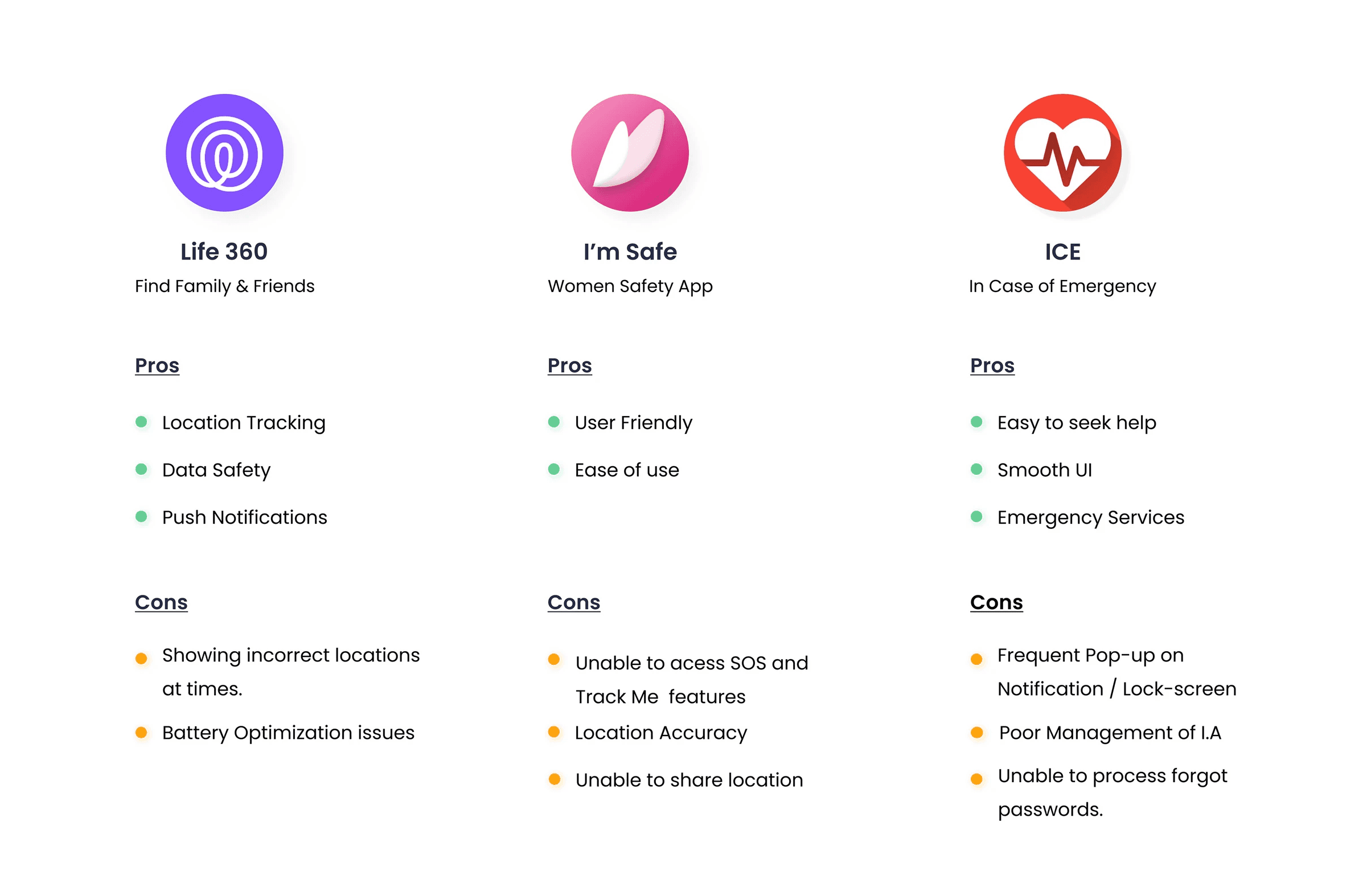
I benchmarked existing safety and SOS apps to identify usability gaps. Most relied on heavy interfaces, long setup processes, and overwhelming feature sets. This reinforced my mission to build something clean, fast, and human, designed around how people actually behave in moments of stress.

I benchmarked existing safety and SOS apps to identify usability gaps. Most relied on heavy interfaces, long setup processes, and overwhelming feature sets. This reinforced my mission to build something clean, fast, and human, designed around how people actually behave in moments of stress.

DISCOVERING THE CHALLENGES
Key challenges were found upon analysis of the research work
Key Findings of the UX Audit


High cognitive load during emergencies

Users freeze, forget steps, and feel overwhelmed—traditional navigation fails in these moments

Slow access to emergency actions

SOS features in most phones are hidden or involve multiple taps and confirmations

Lack of real-time assurance

Users weren’t sure if their alert sent, who received it, or if help was on the way

Poor adaptability

Low lighting, shaking hands, or noisy environments made normal phone interaction harder

AIM AND GOALS
Design a safety experience that eliminates thinking, reduces panic, and helps users get help instantly and confidently

Instant Activation

Instant Activation

Instant Activation

User-friendly responses

User-friendly responses

User-friendly responses

User-friendly responses

User-friendly responses

User-friendly responses

Improved user interface

Improved user interface

Improved user interface

TURNING INSIGHTS INTO IDEAS
Who I was designing for?

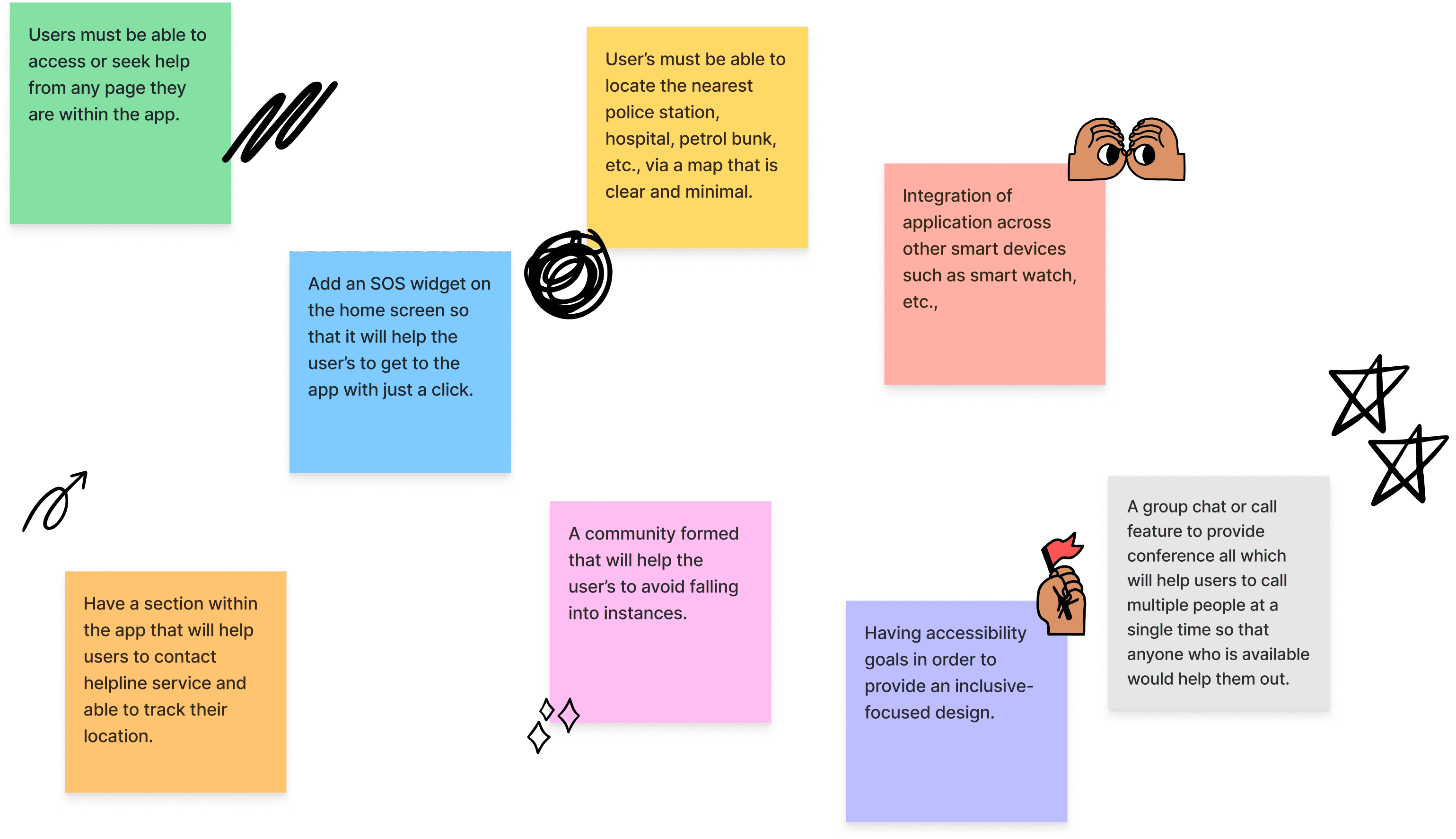
Guided by our findings, I conducted a mind-mapping and brainstorming session to turn user insights into design opportunities.

The focus was clear: simplify access, visualize safety, and create emotional reassurance through design.

Guided by our findings, I conducted a mind-mapping and brainstorming session to turn user insights into design opportunities.

The focus was clear: simplify access, visualize safety, and create emotional reassurance through design.

PERSONA DEVELOPMENT
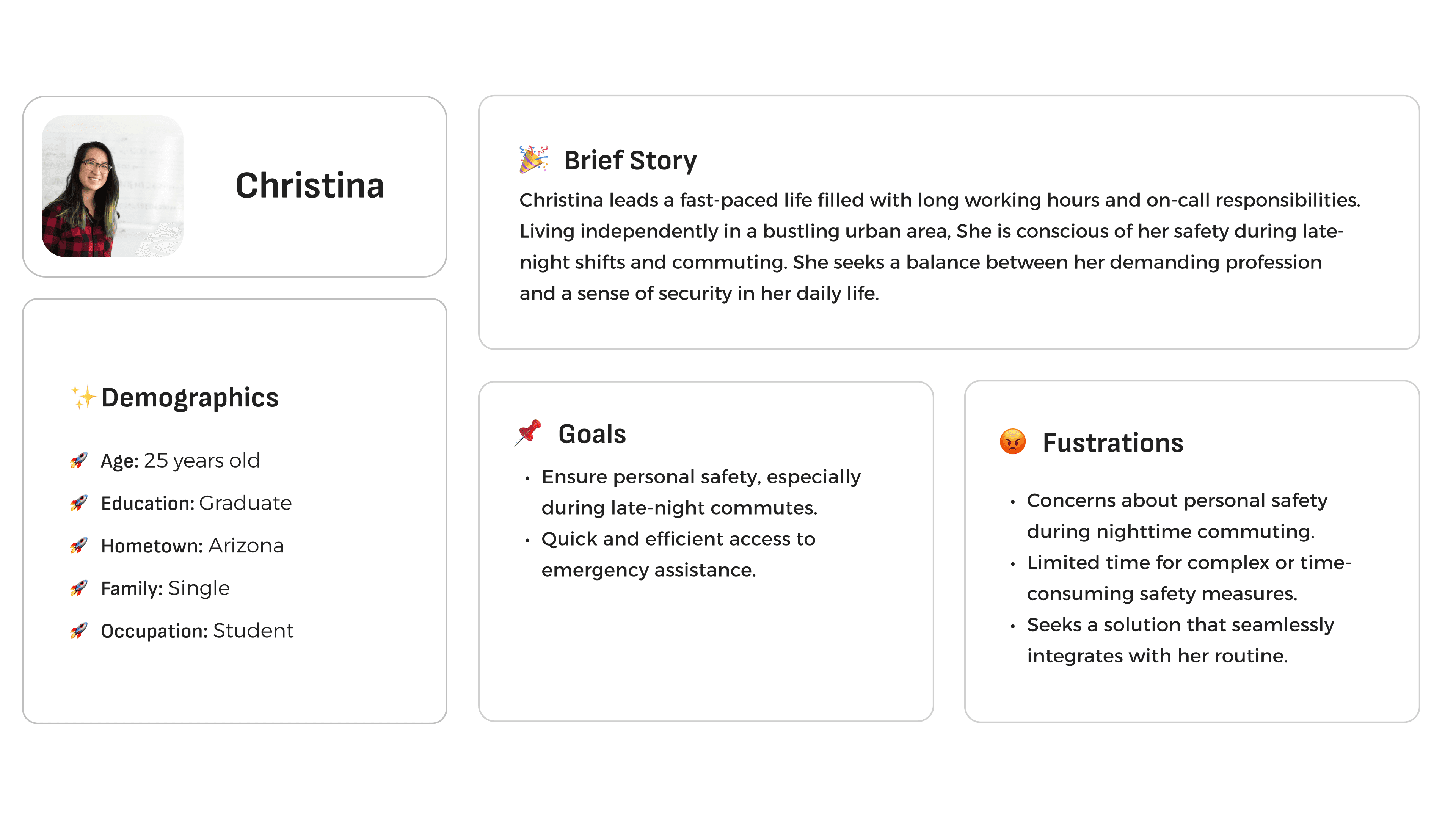
Who I was designing for?

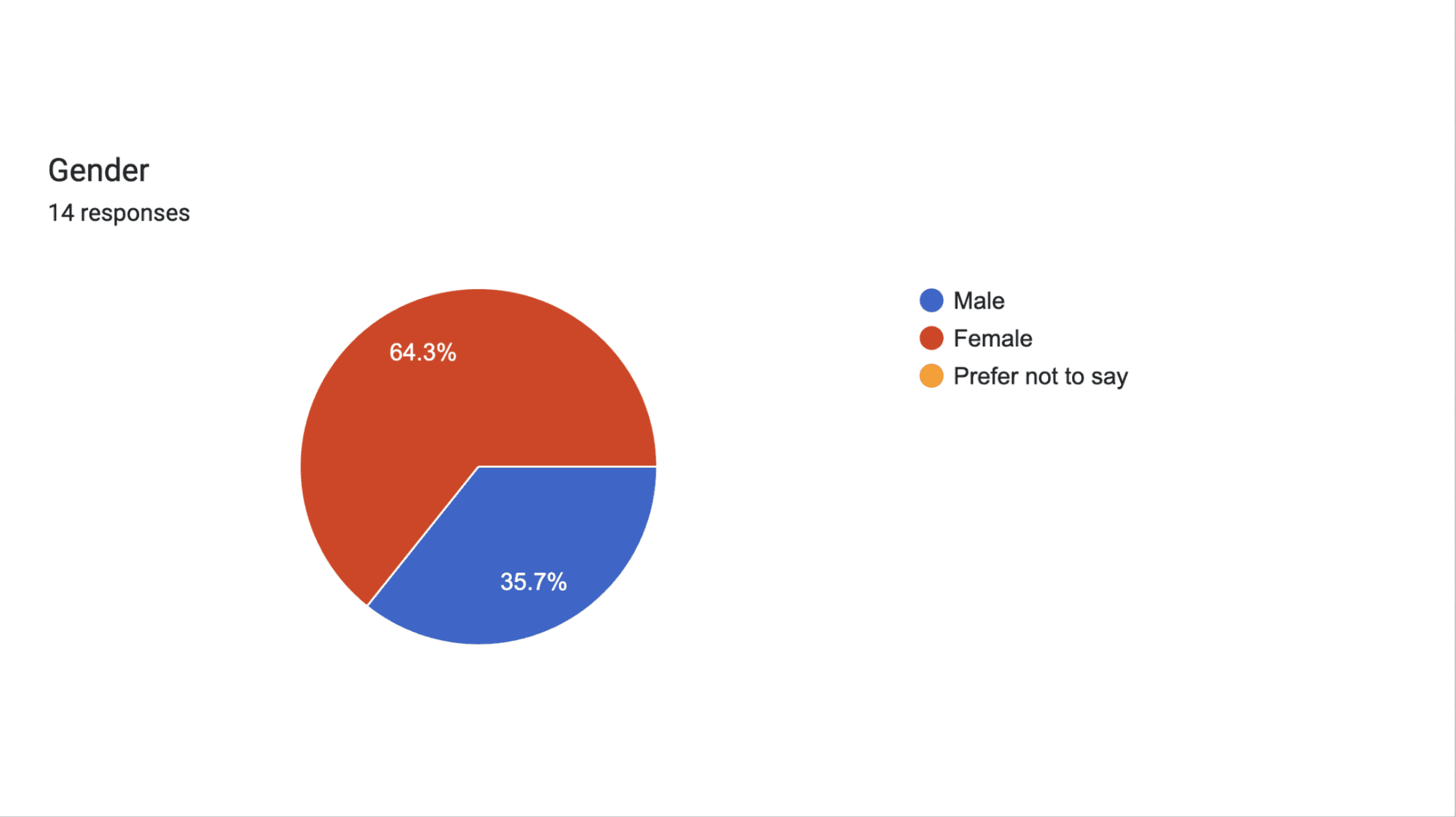
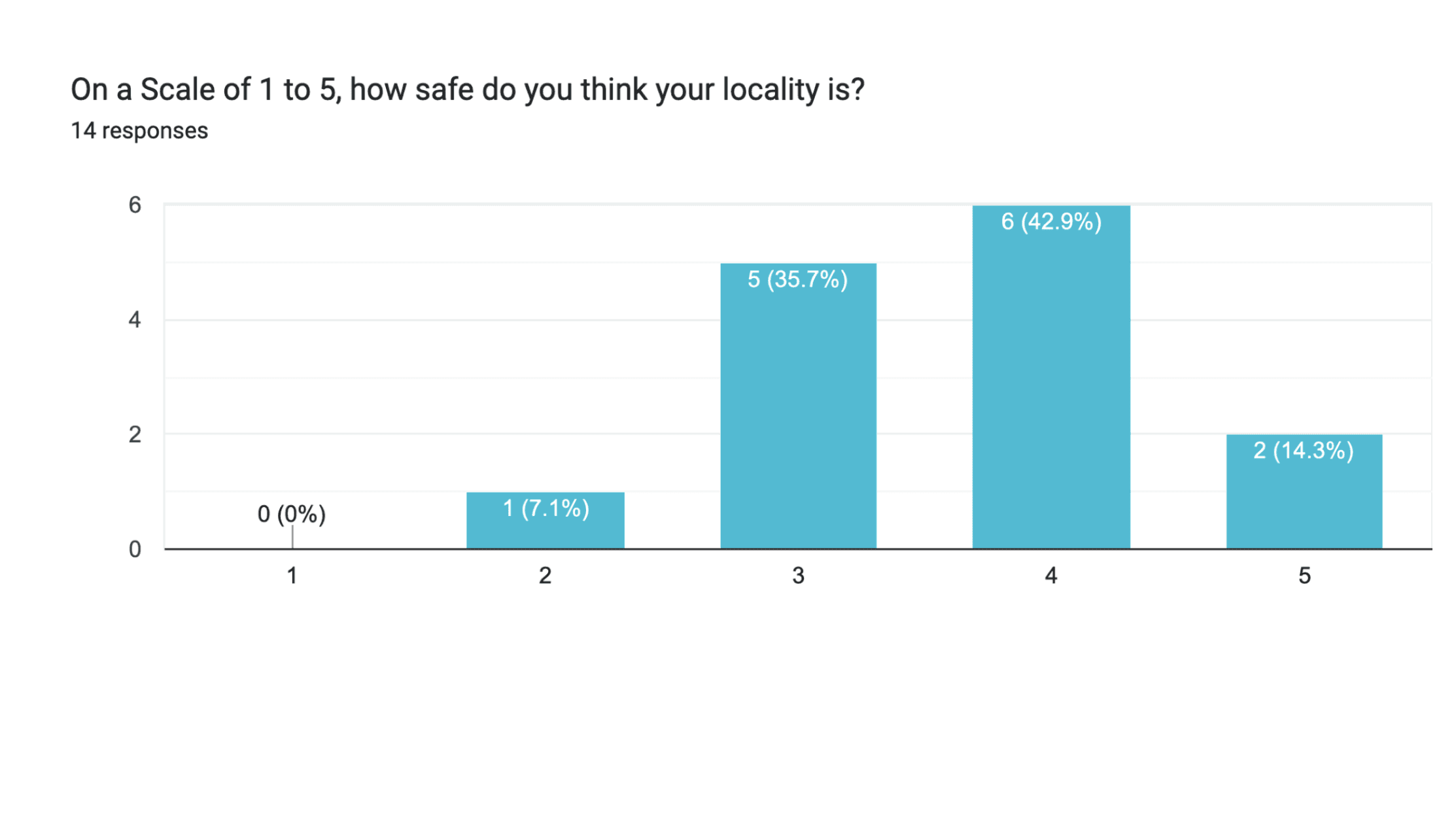
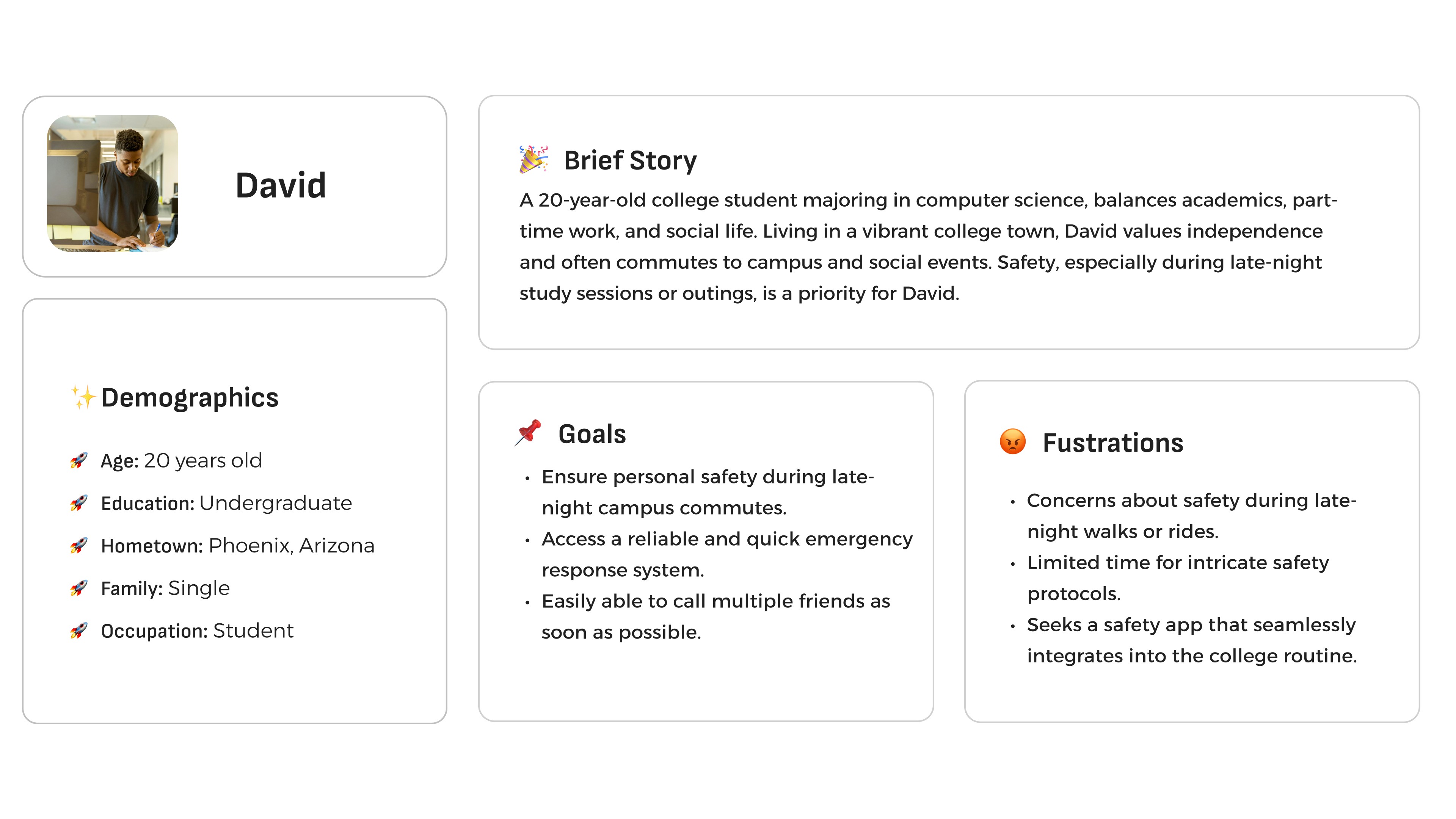
Based on survey data and behavioral themes, I created two personas that represented our target audiences:

  • The Parent Protector: Concerned about their child’s safety and wants real-time reassurance.

  • The Independent Commuter: Often travels alone and seeks quick, reliable access to help when needed.

Based on survey data and behavioral themes, I created two personas that represented our target audiences:

  • The Parent Protector: Concerned about their child’s safety and wants real-time reassurance.

  • The Independent Commuter: Often travels alone and seeks quick, reliable access to help when needed.

INFORMATION ARCHITECTURE
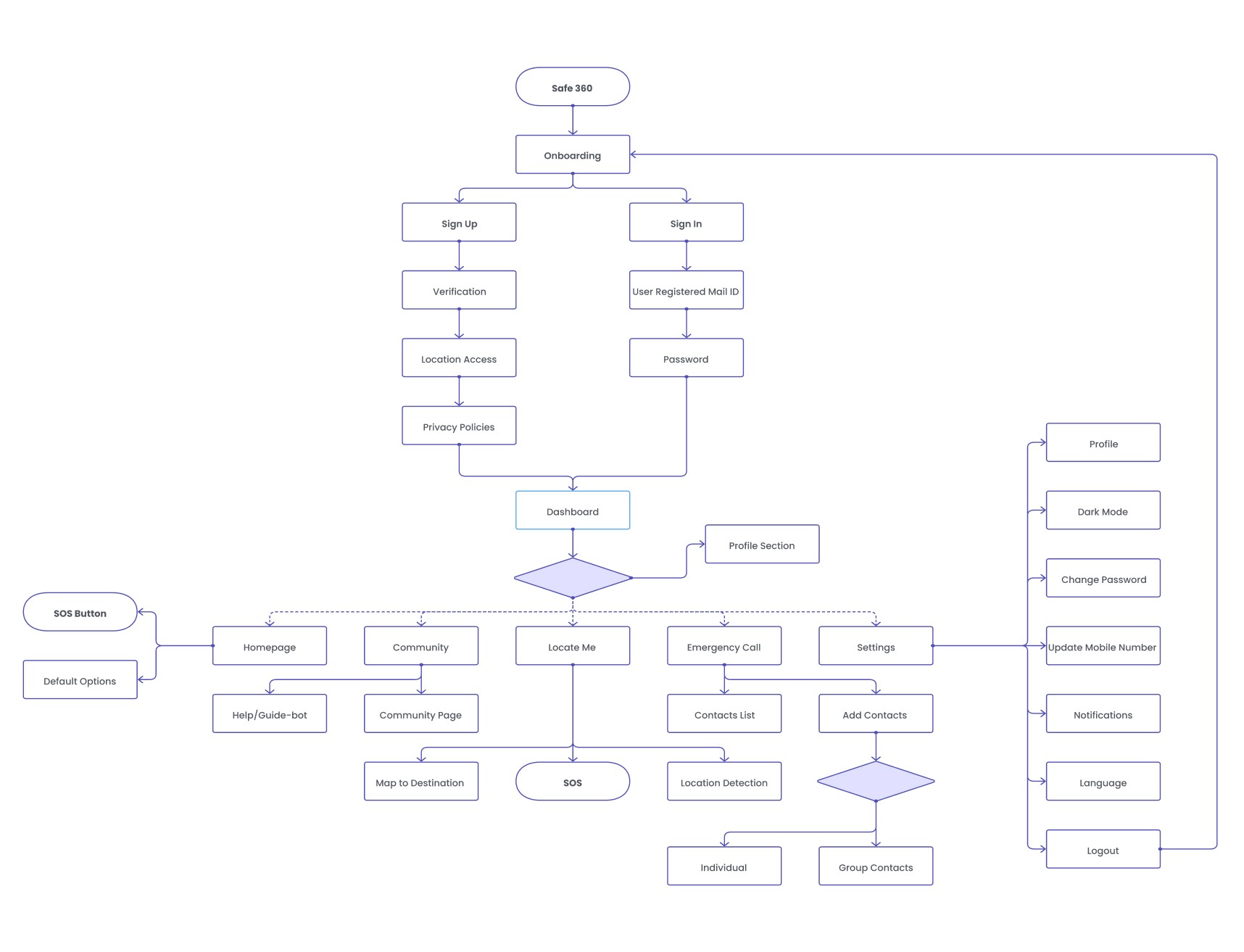
Creating the user flows

We restructured the app’s content and navigation to make key safety tools effortless to reach. The IA prioritized emergency features first, followed by secondary actions like tracking, family connection, and communication. This structure ensured that in high-stress moments, users could act instantly — not think.

We restructured the app’s content and navigation to make key safety tools effortless to reach. The IA prioritized emergency features first, followed by secondary actions like tracking, family connection, and communication. This structure ensured that in high-stress moments, users could act instantly — not think.

UI DESIGN
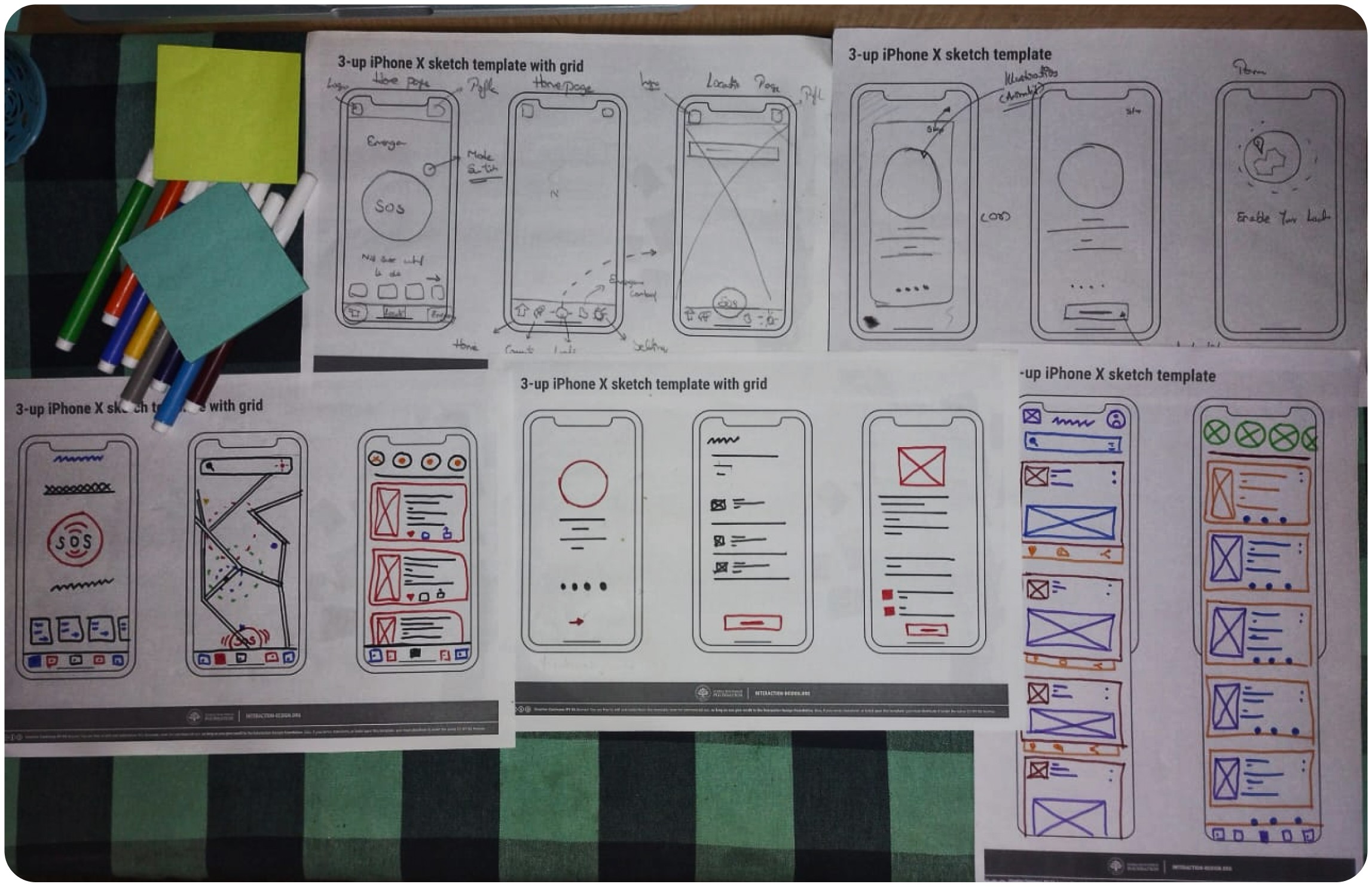
Sketching out concepts and solutions visually

Low-fidelity wireframes helped visualize the flow and allowed quick iterations before diving into visuals. Each screen was designed to balance clarity and calm, minimizing unnecessary elements that could delay action.

Low-fidelity wireframes helped visualize the flow and allowed quick iterations before diving into visuals. Each screen was designed to balance clarity and calm, minimizing unnecessary elements that could delay action.

Introducing Safe 360
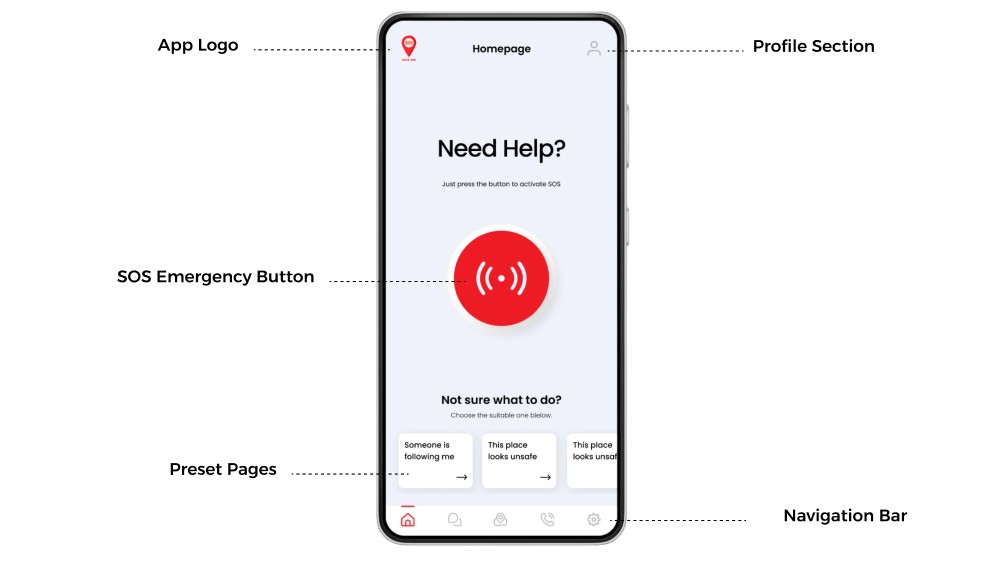
HomeScreen

This serves as the primary interface, offering users the ability to quickly
request immediate assistance by pressing the dedicated SOS button.
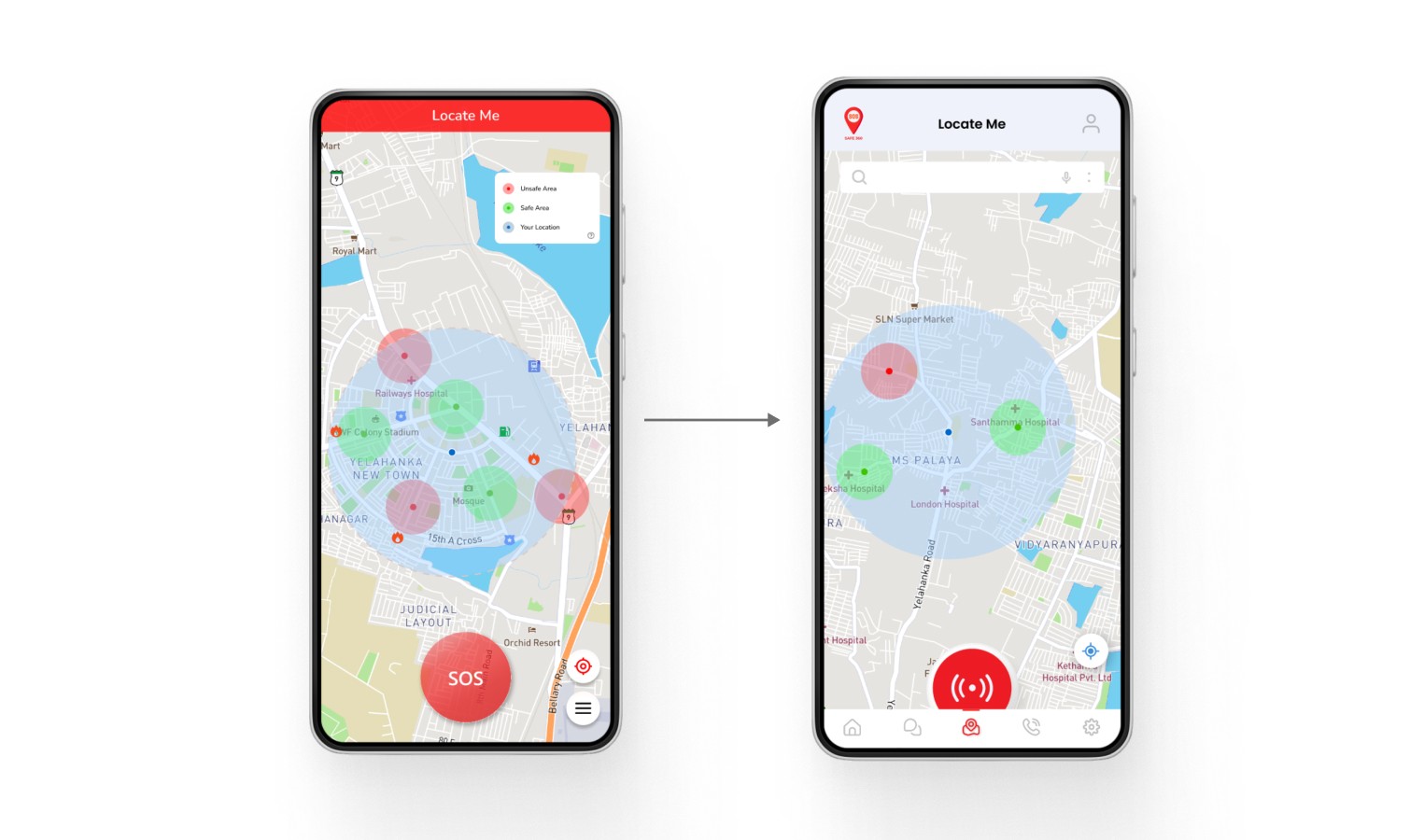
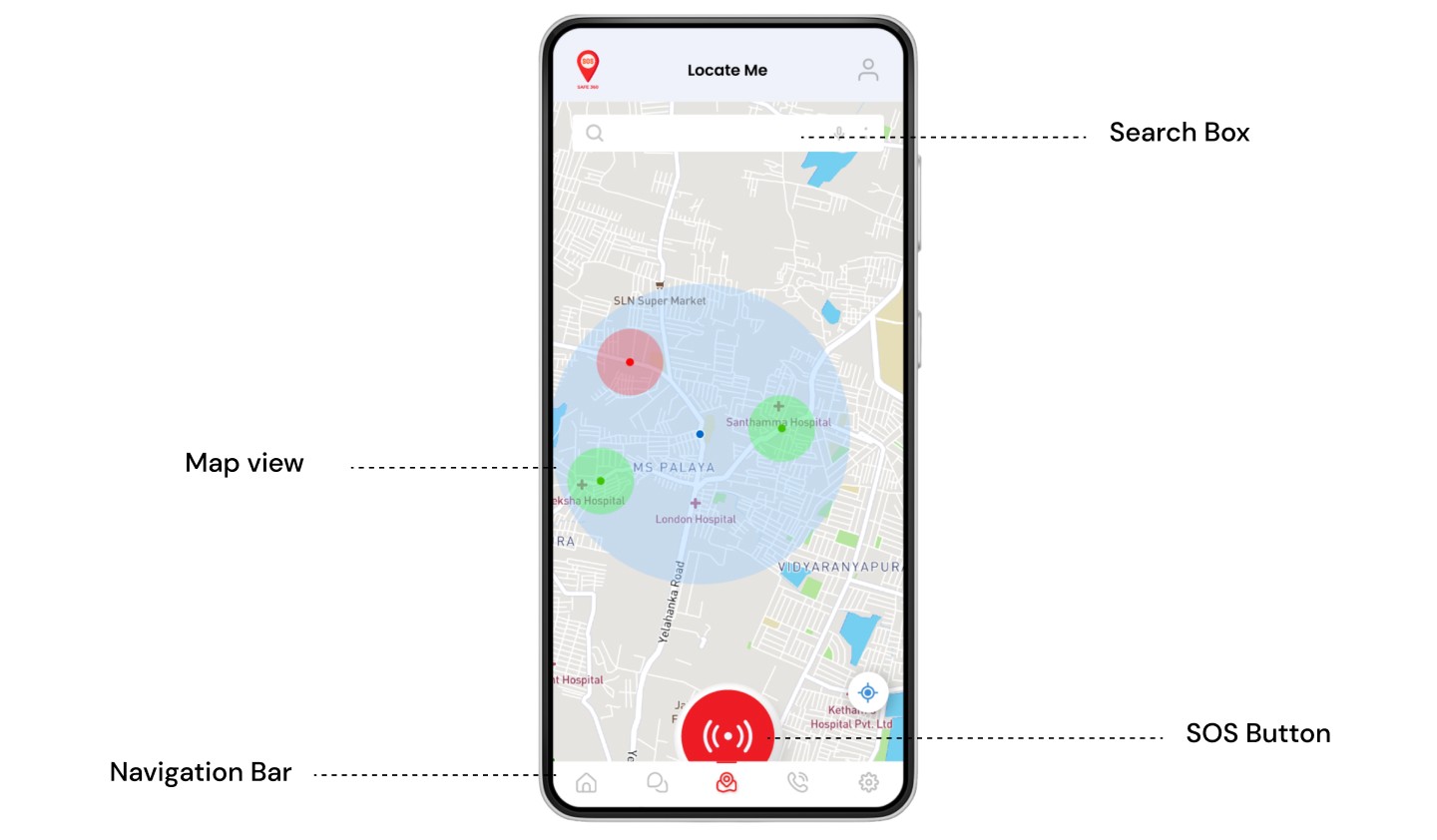
Maps (Locate Me)

Users can quickly check their location, assess nearby safety, and connect with local emergency services like police or fire stations.
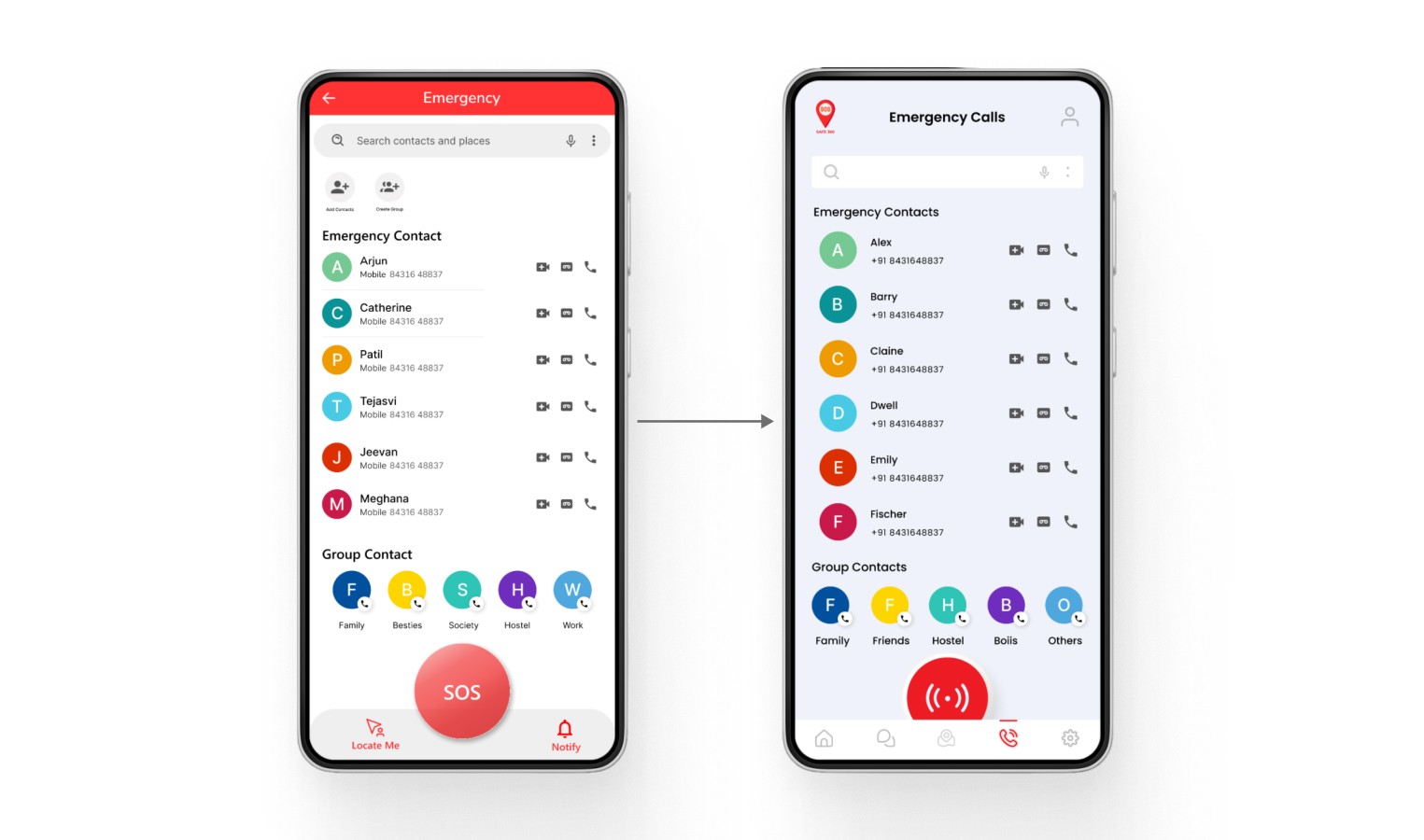
Emergency Contacts
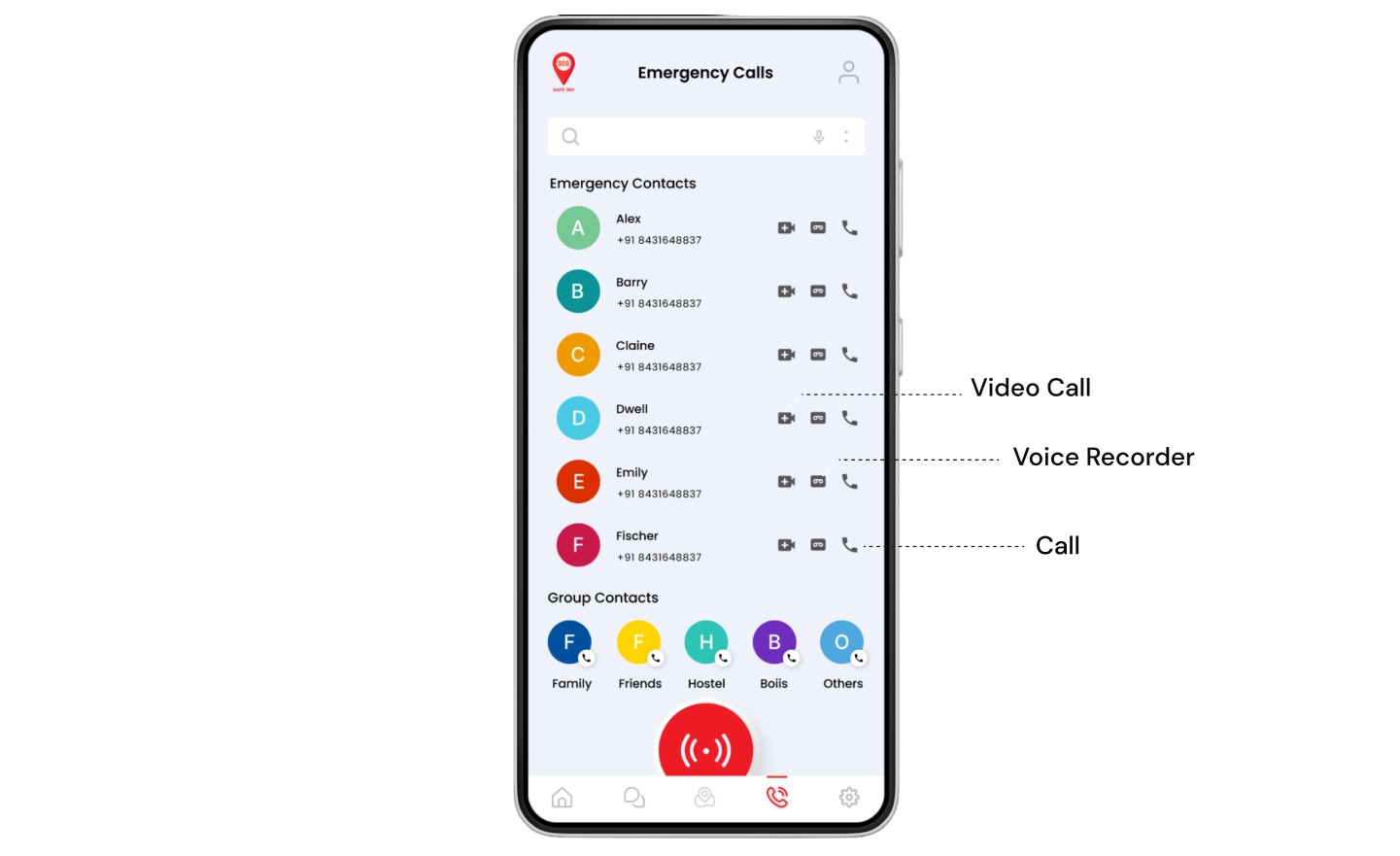
Users can create group contacts that allow them to call multiple people at a single time, which ensures better safety.

Users can create group contacts that allow them to call multiple people at a single time, which ensures better safety.

Users can create group contacts that allow them to call multiple people at a single time, which ensures better safety.

TESTING AND FEEDBACK
Testing the chatbot with the end users

To validate our design, we conducted moderated usability testing with 6 participants from different demographics

To validate our design, we conducted moderated usability testing with 6 participants from different demographics

Task Based Scenarios

Participants were asked to complete specific tasks within the chatbot.


Participants were asked to complete specific tasks within the chatbot.

THINK ALOUD PROTOCOL

We asked participants to "think aloud" as they interacted with the chatbot, verbalizing their thoughts, frustrations, and successes.

POST-TEST QUESTIONNAIRE

After testing, participants completed questionnaires to gather quantitative data on ease of use, satisfaction, and perceived usefulness.

ITERATIONS BASED ON FEEDBACK

Provided an easier navigation bar with similar features, enhancing accessibility and usefulness. Improved icon consistency across other screens for better user experience.

Fixed screen consistency across the app for enhanced usability and visual appeal. Instead of a pure white background, we went with a little blend, which improved the overall visual appeal. Users felt the buttons were outdated, which was revamped and fixed in the iterations.
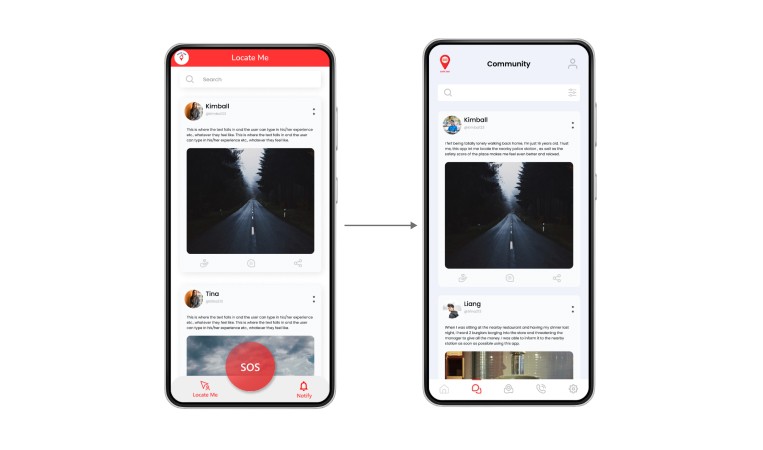
Introduced a community feature in the emergency app, encouraging users to share experiences and solutions, fostering a supportive environment for learning. This promotes active engagement and informed discussions, connecting the user base.

Introduced a community feature in the emergency app, encouraging users to share experiences and solutions, fostering a supportive environment for learning. This promotes active engagement and informed discussions, connecting the user base.

Introduced a community feature in the emergency app, encouraging users to share experiences and solutions, fostering a supportive environment for learning. This promotes active engagement and informed discussions, connecting the user base.

Users said…

Users said…

"This version feels more easier and clearer to understand & use… I'd rate it a 4.9/5!"

The stakeholders say…

The stakeholders say…

"We were genuinely impressed. The way you connected user behavior, research insights, and design rationale made the recommendations very clear and actionable."

Create a free website with Framer, the website builder loved by startups, designers and agencies.