Arizona Water-bot
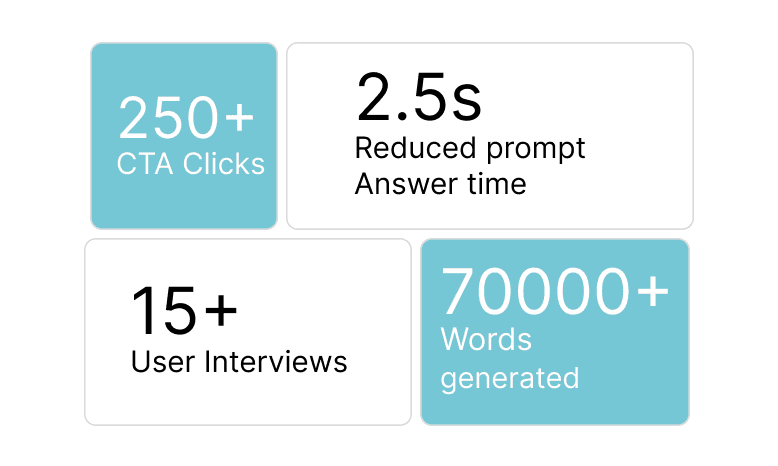
Designed to empower 7.58 million Arizonans with trusted water insights, enabling smarter choices that can conserve billions of gallons annually.
Overview
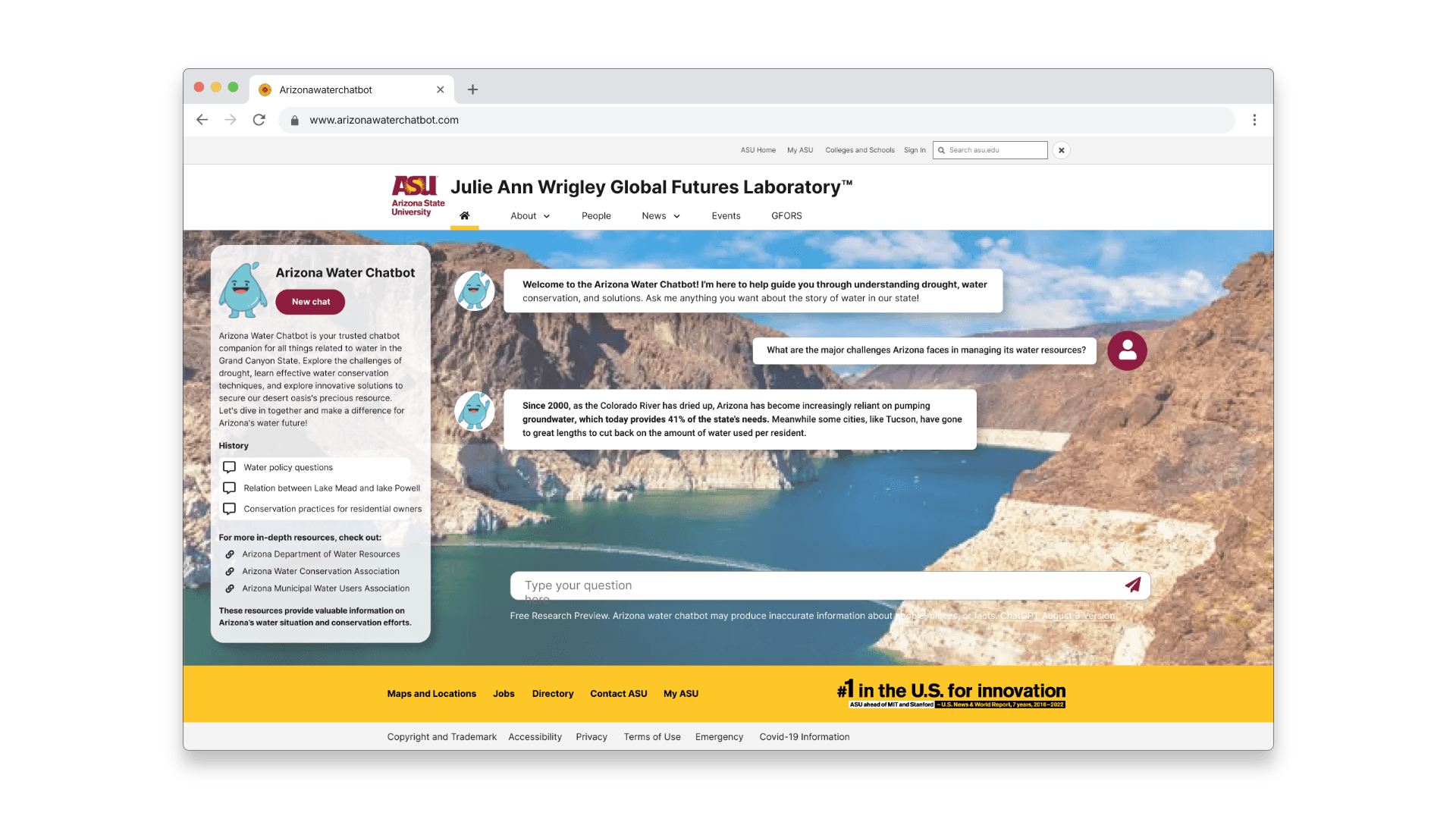
Arizona faces one of the most critical water shortages in the U.S., yet most residents still struggle to find clear, trustworthy, and actionable water guidance online. I partnered with the Arizona State University Futures Lab to redesign a generative-AI chatbot so residents could quickly understand what actions matter — without reading dense pages or guessing the “right” terms to search.
Why this chatbot?
The Challenge
The original experience broke down across three levels:
Cognitive
long paragraphs, unclear language, no “what’s next”

Interaction
difficult navigation, slow load times

Emotional
uncertainty, frustration, & low trust
How users interacted with the chatbot
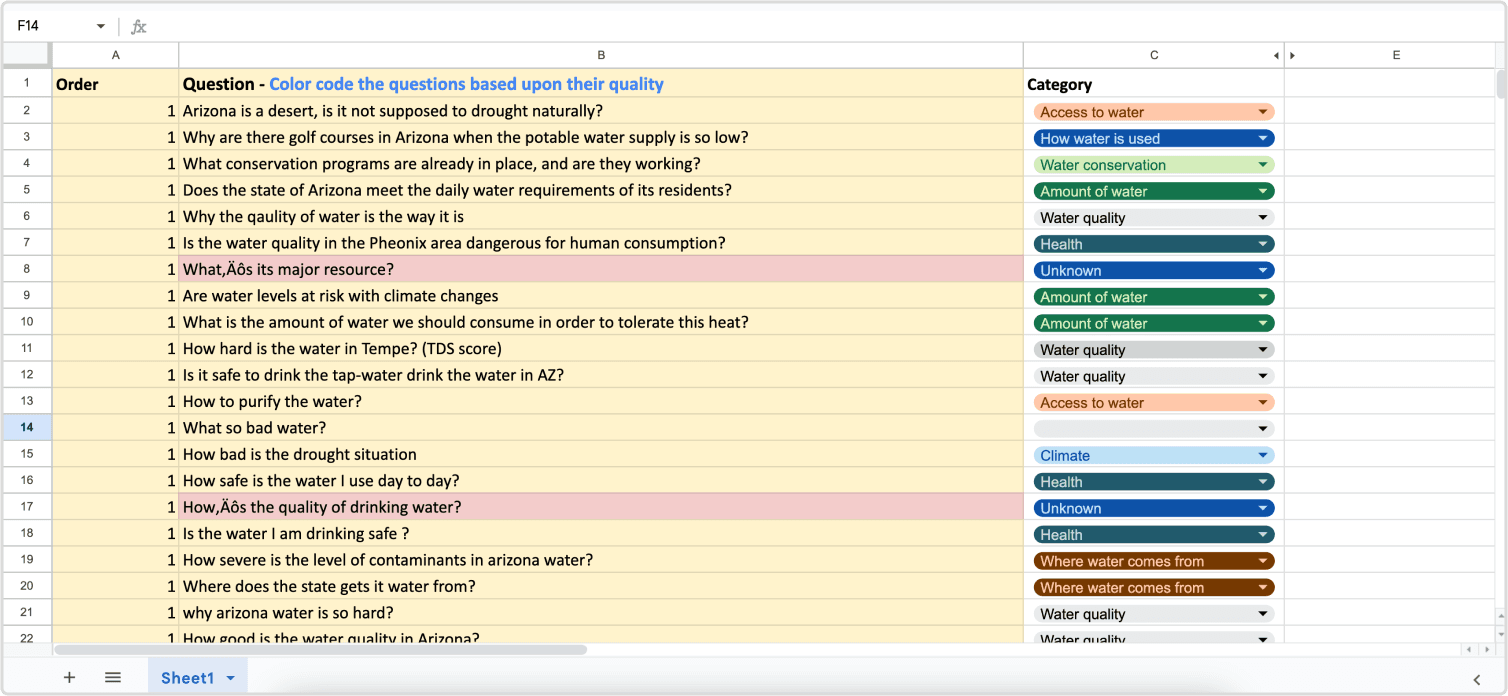
To learn how residents actually searched, phrased questions, and interpreted answers, I ran a mixed-method study with 10 Arizona residents
What we learned from our users
To learn how residents actually searched, phrased questions, and interpreted answers, I ran a mixed-method study with 10 Arizona residents
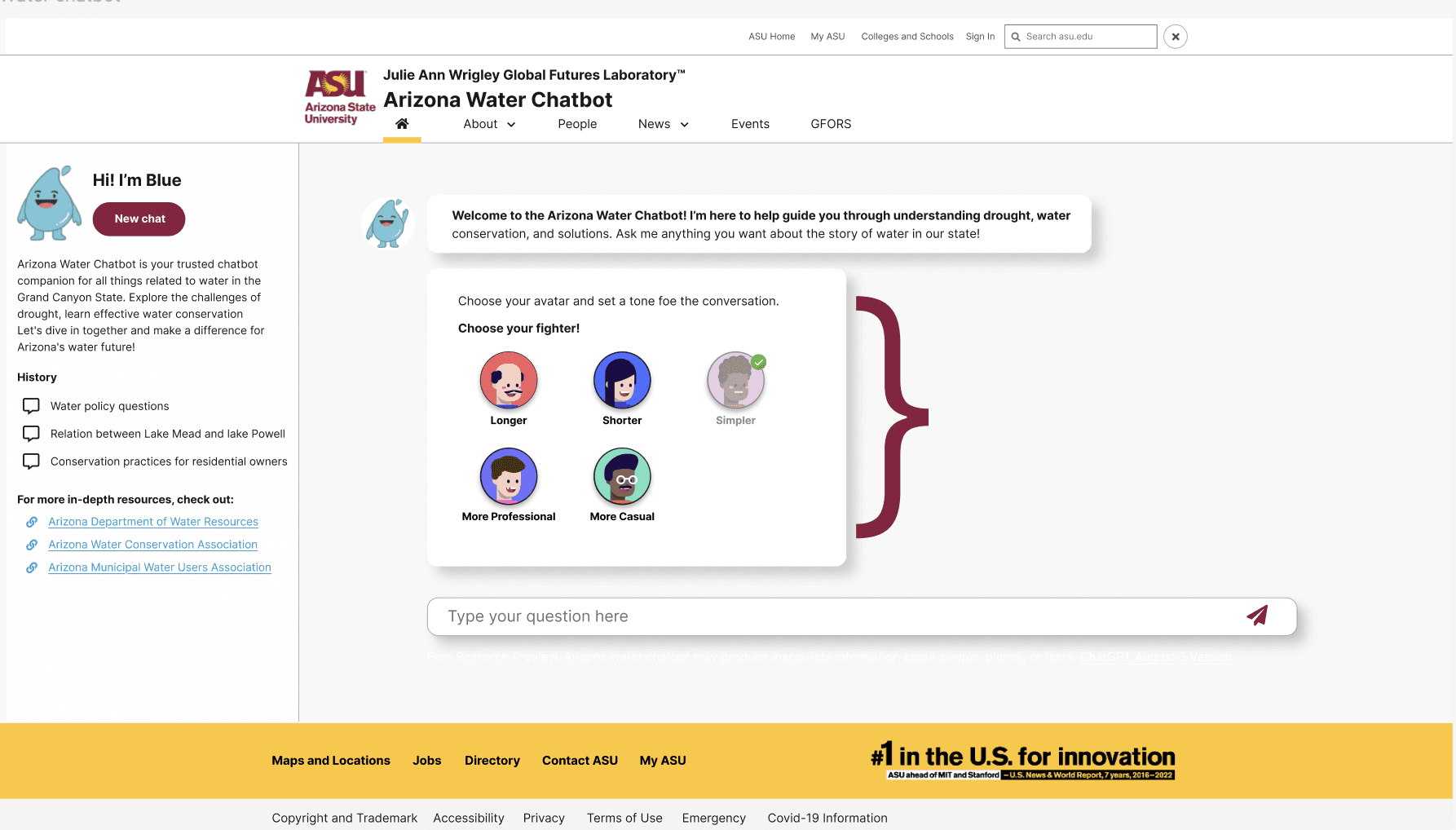
Residents hesitated at the first step. They weren’t sure how to phrase a question, what the chatbot understood, or whether their wording was “correct.”
Responses appeared as dense paragraphs, making users skim, scroll, and eventually miss critical information.
Delays in generating answers made users question if the system was working at all.
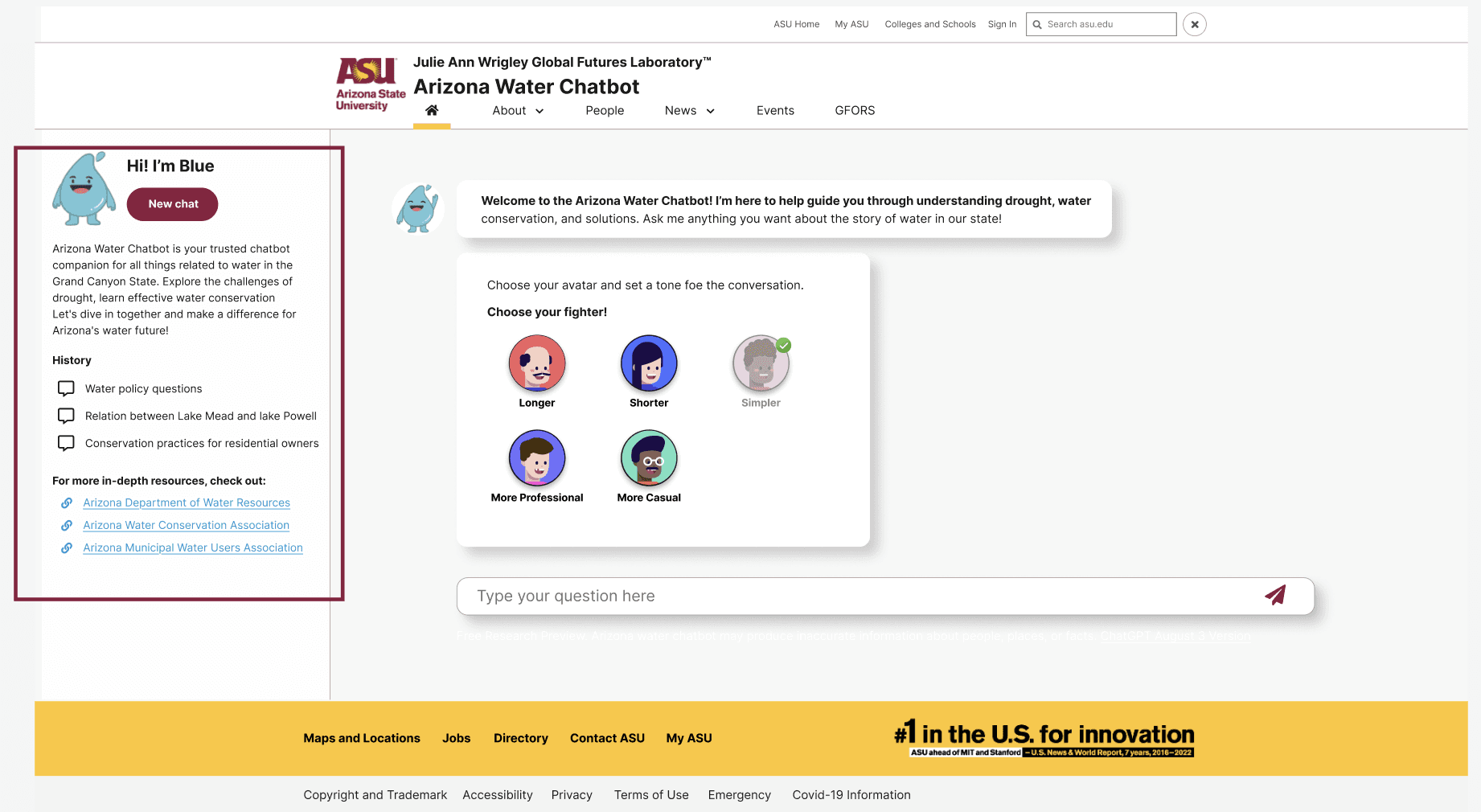
Because there was no chat history, users kept asking the same questions or lost access to useful information after navigating away.
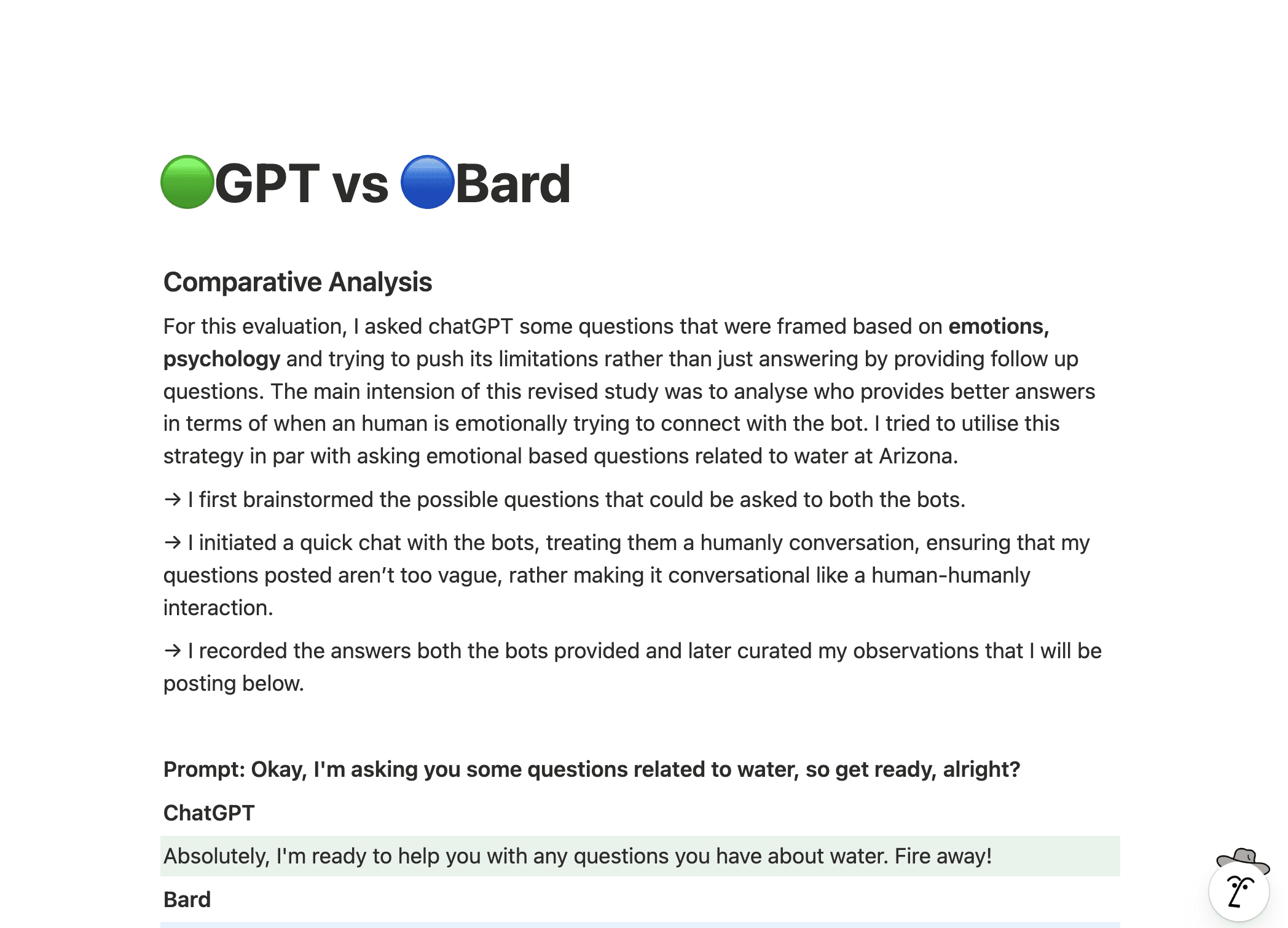
Competitive Analysis
Part of my research included looking at competitors and noting their strengths and flaws. Some potential solutions I came up with were:
Problem Statement
"Users struggled to find relevant water information through the Arizona Water Chatbot due to unclear navigation paths, slow response times, and lengthy, hard-to-read answers. Many found it difficult to phrase precise questions and lacked chat history to revisit prior information. These barriers led to frustration, especially among first-time users and those with varying levels of digital literacy, reducing engagement and overall trust in the chatbot experience."
Setting the project goals
I defined clear, measurable goals: reduce response time, improve query success rate, and enhance prompt design to deliver concise, human-like answers. The redesign also aimed to make critical features (like alerts, reporting, and conservation tips) more discoverable and accessible across all devices.
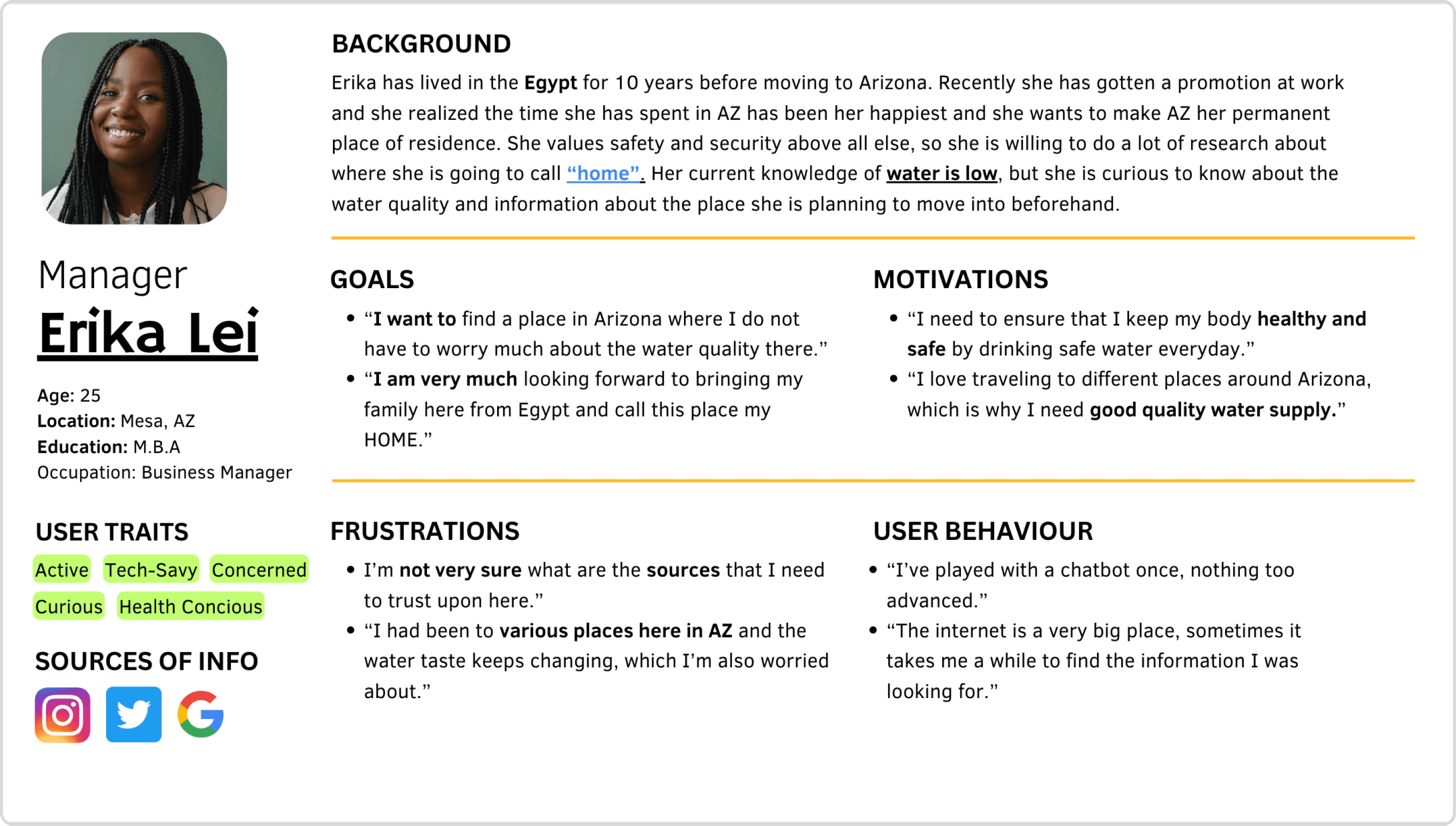
User Personas
I focused on the “Young Internationals” — curious, proactive users who value trust, clarity, and personal assistance when accessing water-related information. Based on interviews and analysis, I created personas that reflected their motivations, pain points, and goals, guiding design decisions to ensure an intuitive and supportive experience.
Turning research into action
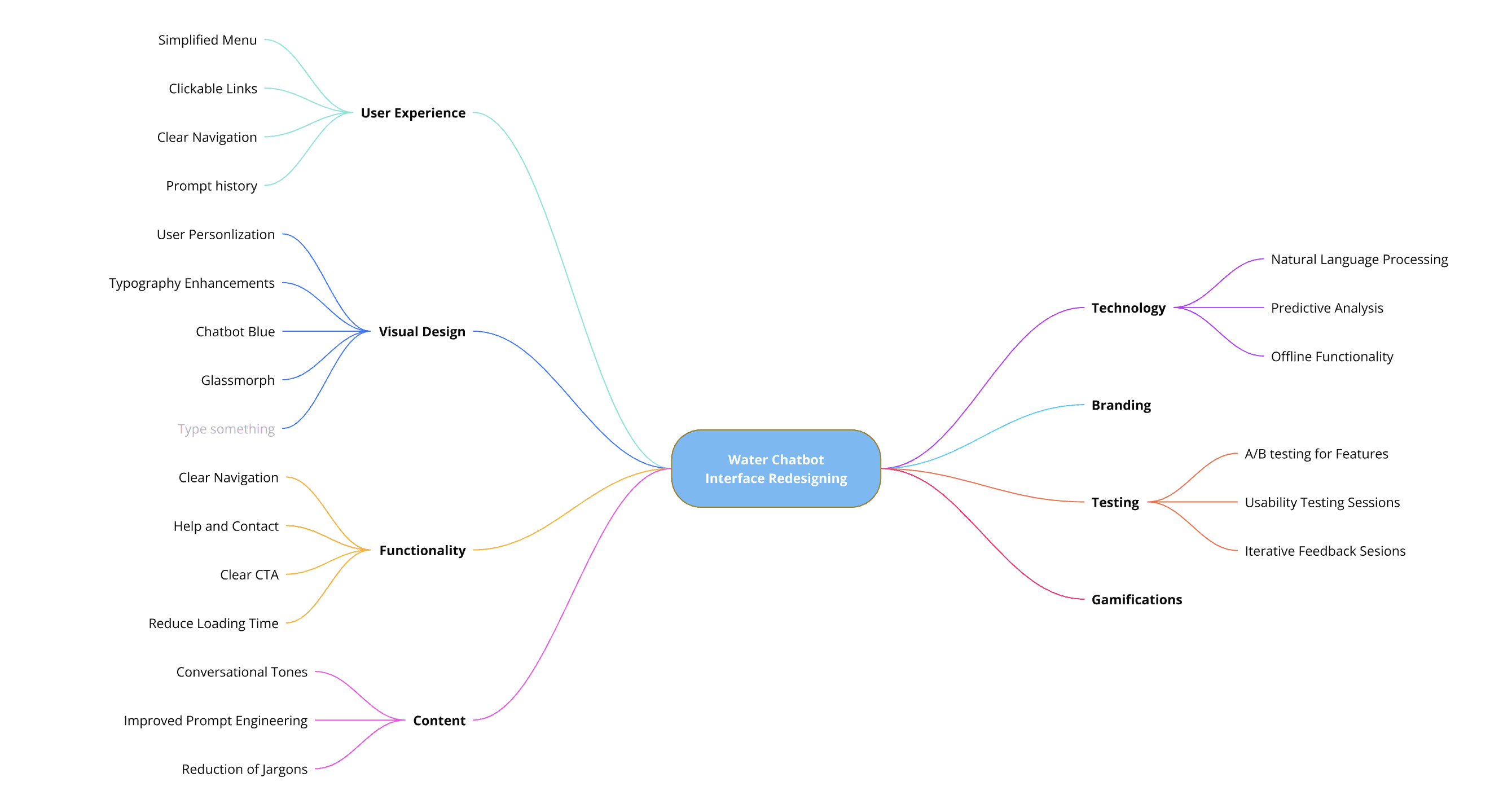
During ideation, I mapped every user pain point to potential solutions, reimagining how residents interact with the chatbot. The goal was to design a system that feels simple, intuitive, and genuinely helpful in guiding users toward the right water information
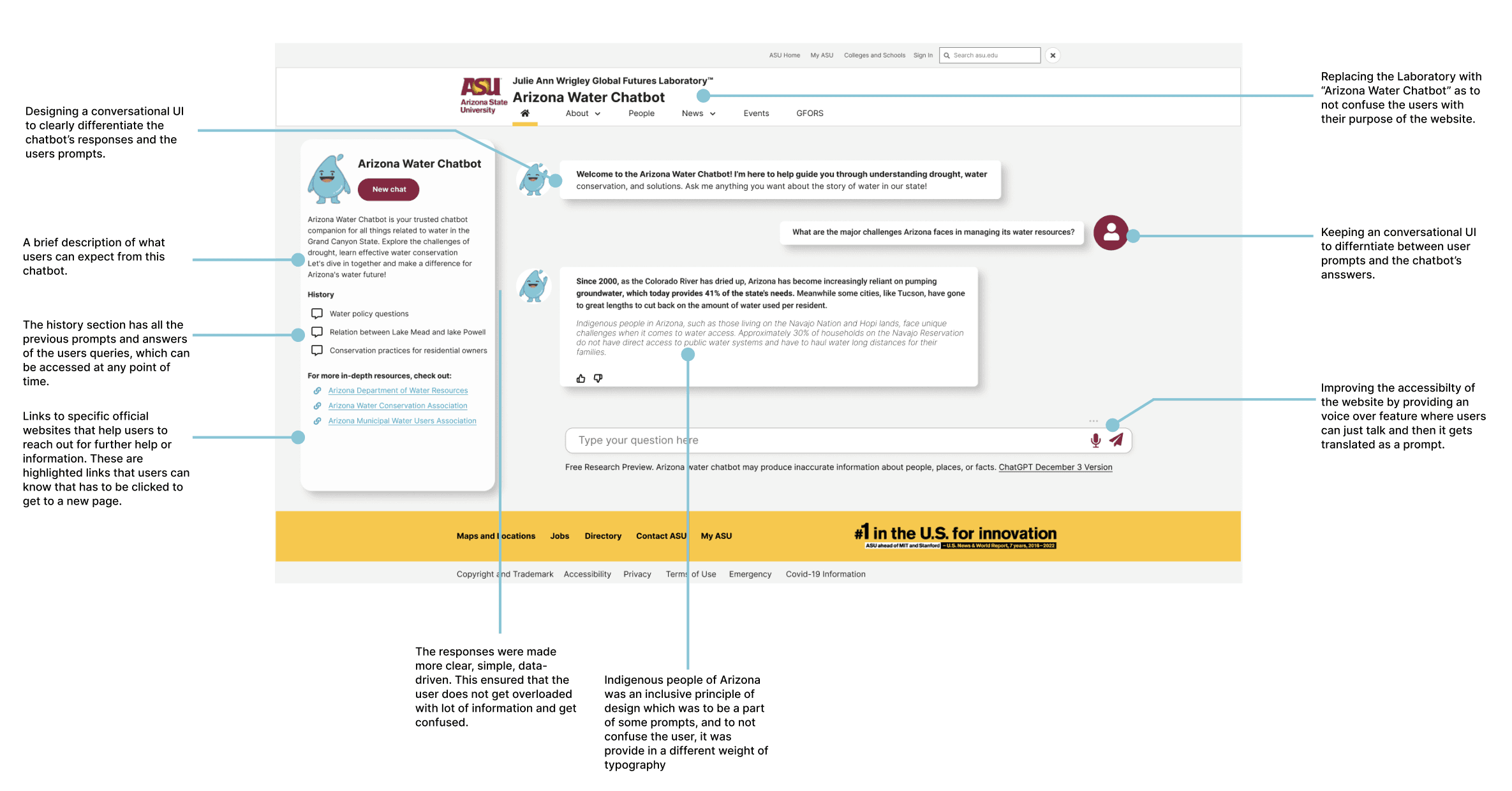
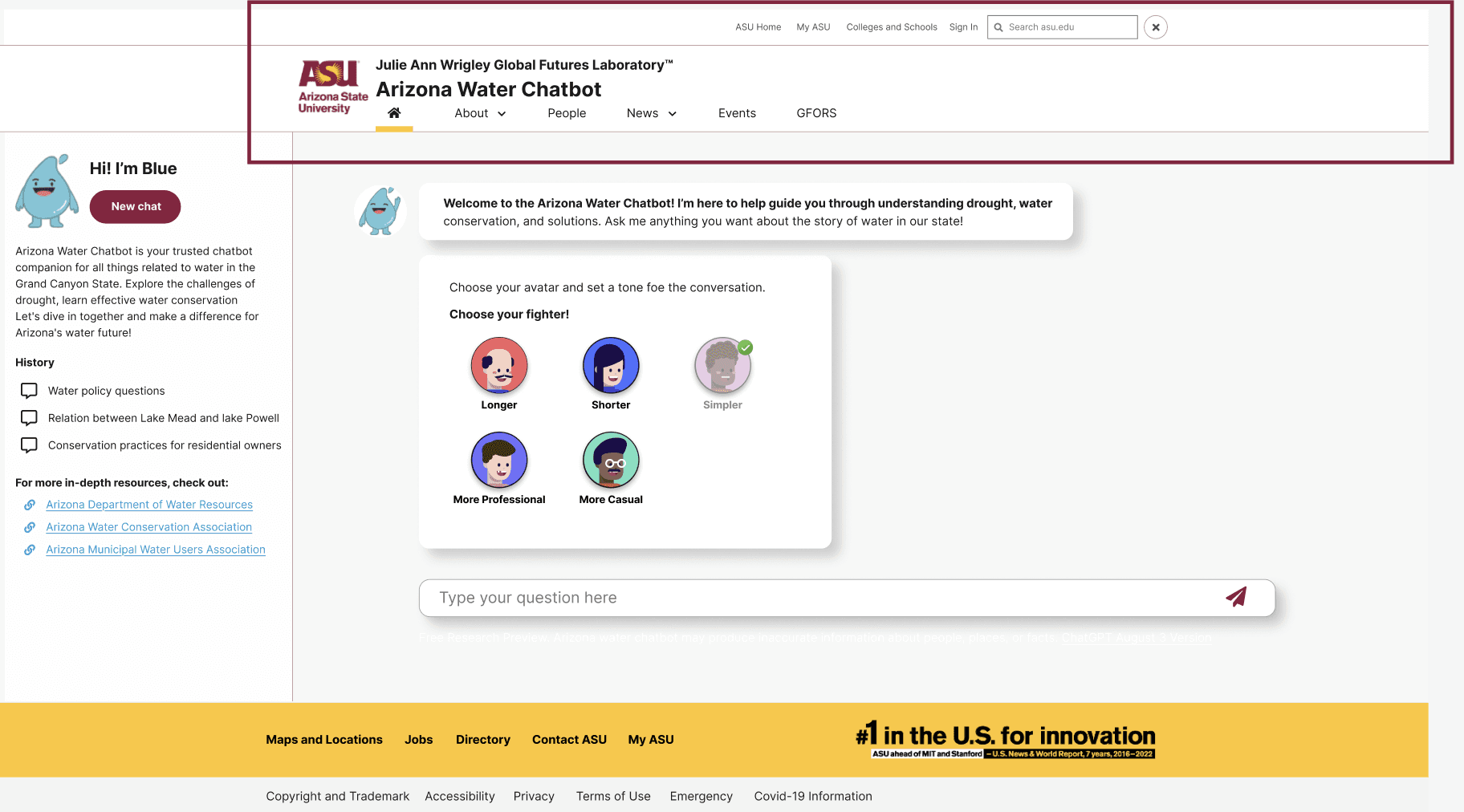
Through usability feedback, it became clear that users needed a more intuitive and personalized experience. I focused on redesigning key interaction points to make navigation, readability, and re-engagement effortless.


Insights from user research directly shaped the next phase of design. Each finding was translated into clear, measurable improvements, decluttering the interface, introducing conversational and customizable elements, and refining the visual language. These updates worked together to create a smoother, more human experience that feels effortless to use and easy to trust.
Results and Impact
Testing confirmed that the redesigned chatbot made finding water-related information faster, clearer, and more engaging.
Compared to the previous version, users completed key tasks 42% faster and reported a 35% increase in satisfaction during post-test surveys.
Accessibility improvements, such as larger text, visual hierarchy, and chat history, reduced confusion and boosted confidence—especially for first-time users.